

7 UTM Naming Mistakes Marketing Teams Keep Making
Avoid the 7 most common UTM naming mistakes that fragment campaign reports, create duplicate rows in GA4, and derail marketing attribution.
Table of Contents
- Why Naming Taxonomy Breaks Down at Scale
- The 7 Critical UTM Naming Mistakes
- 1. Inconsistent Letter Casing Across Teammates
- 2. Mixing Delimiters (Hyphens vs Underscores vs Spaces)
- 3. Unstandardized Date Formats
- 4. Cryptic Internal Abbreviations
- 5. Stuffing Audience Details Into utm_source
- 6. Lack of a Centralized Taxonomy Source of Truth
- 7. Renaming Campaigns Mid-Flight
- The Bulletproof 4-Part UTM Naming Formula
- Frequently Asked Questions
Without strict governance, every team member invents their own naming logic. In as little as three months, GA4 reports accumulate dozens of variations for the exact same campaign, turning cross-channel analysis into a nightmare of manual spreadsheet cleanups.
Why Naming Taxonomy Breaks Down at Scale
As marketing teams expand to include contractors, performance agencies, and product marketers, link creation becomes decentralized. When five people create links for one campaign without standardized naming rules, GA4 records fragmented rows that make executive reporting impossible.
The 7 Critical UTM Naming Mistakes
1. Inconsistent Letter Casing Across Teammates
One media buyer uses Facebook, another writes facebook, and an agency writes FB. In GA4, these generate three separate lines in every dimension report. Standard: Force all lowercase, always.
2. Mixing Delimiters (Hyphens vs Underscores vs Spaces)
Hyphens (kebab-case) and underscores (snake_case) should never be interchanged casually. Choose one standard for word separation and enforce it universally. We recommend hyphens for campaign names and underscores for source and medium.
3. Unstandardized Date Formats
Using 05-12, May2026, and 2026_05 within the same analytics property ruins chronological sorting in GA4 and Looker Studio. Use the ISO standard: YYYYMM or YYYY-MM-DD.
4. Cryptic Internal Abbreviations
Tagging a campaign as utm_campaign=p1_us_t2_ret might make sense to the media buyer today, but six months later, neither the analytics lead nor leadership can decipher it. Use descriptive, self-explanatory names.
5. Stuffing Audience Details Into utm_source
Setting utm_source=facebook_retargeting_lookalike1 violates parameter scoping. The source is facebook; your audience targeting belongs in utm_content or utm_term.
6. Lack of a Centralized Taxonomy Source of Truth
If your team does not share a locked UTM dictionary or an automated tool like UTMCraft, naming divergence is guaranteed. Implement an approved list of sources and mediums.
7. Renaming Campaigns Mid-Flight
Changing your UTM campaign value halfway through a seasonal push splits performance data across two disconnected reporting entities in GA4. If you must adjust nomenclature, do so between campaigns, never mid-flight.
The Bulletproof 4-Part UTM Naming Formula
Adopt this battle-tested naming standard for utm_campaign:
[region]-[objective]-[theme]-[year]
Example: us-leadgen-whitepaper-2026
Frequently Asked Questions
Should I use hyphens or underscores in UTM campaign names?
Hyphens (kebab-case) are widely preferred for campaign names because search engines and analytics tools parse hyphens as word separators cleanly without ambiguity.
How do I fix historical naming errors in GA4?
GA4 historical data cannot be rewritten. However, you can create Custom Channel Groups or custom calculated fields in Looker Studio with regular expressions to combine fragmented legacy names.
Sources & Authoritative References
- Google Analytics 4 Dimensions and Metrics Reference (Google Support)
- GA4 URL builders: UTM best practices (Google Support)
Related Measurement Guides
15 UTM Tracking Mistakes That Ruin Your GA4 Data (and How to Fix Them)
Discover the 15 most destructive UTM tracking mistakes breaking GA4 attribution, causing Unassigned traffic, and corrupting ad ROI—with actionable fixes.
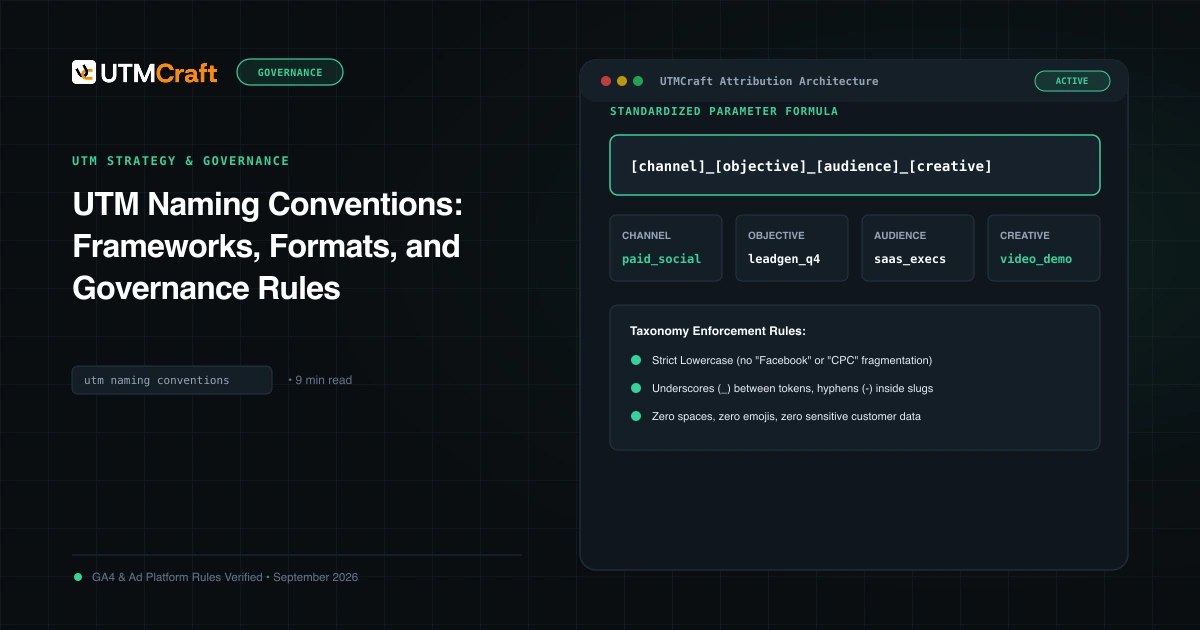
UTM Naming Conventions: Frameworks, Formats, and Governance Rules
Master UTM naming conventions. Discover field-tested campaign naming formulas, delimiter rules, case-sensitivity guidelines, and downloadable taxonomy SOPs.
7 Campaign Naming Mistakes That Fragment GA4 Reports
Stop fragmenting campaign reporting across dozens of duplicate rows. Learn the 7 campaign naming mistakes to avoid and how to design durable taxonomies.