

5 utm_source Mistakes That Break Attribution in GA4
Fix the 5 critical utm_source mistakes causing messy GA4 reports, duplicate platform rows, and broken cross-channel marketing attribution.
Table of Contents
- The True Role of utm_source in GA4
- The 5 Critical utm_source Mistakes
- 1. Putting the Medium or Channel Type in utm_source
- 2. Inconsistent Domain Formats (google vs google.com)
- 3. Fragmenting Single Platforms (fb, meta, facebook)
- 4. Setting utm_source=internal on Website Links
- 5. Omitting utm_source While Passing Other Parameters
- Approved utm_source Standards Table
- Frequently Asked Questions
The utm_source parameter answers one fundamental question: WHO referred the visitor to your site? When this field is misconfigured, GA4 loses the ability to recognize ad platforms, splitting your reports across duplicate entries or mislabeling traffic completely.
The True Role of utm_source in GA4
In GA4, utm_source populates the Session source and First user source dimensions. It represents the specific entity, publisher, or platform sending the click (such as google, newsletter, linkedin, or partner-name).
The 5 Critical utm_source Mistakes
1. Putting the Medium or Channel Type in utm_source
Setting utm_source=paid-social or utm_source=cpc confuses the channel mechanism with the entity. The platform is facebook; the mechanism is paid_social.
2. Inconsistent Domain Formats (google vs google.com)
Do not include domain extensions in your manual tags unless there is a specific tracking reason. Standardize on the brand name: google, not google.com; linkedin, not linkedin.com.
3. Fragmenting Single Platforms (fb, meta, facebook)
Using fb, facebook, meta, and ig across different ad sets fragments performance. Pick one canonical source standard per platform (e.g. facebook and instagram).
4. Setting utm_source=internal on Website Links
Using utm_source=internal on your homepage carousel or blog sidebar overwrites the visitor's original acquisition source, destroying campaign attribution.
5. Omitting utm_source While Passing Other Parameters
Google Analytics 4 considers utm_source the primary anchor of campaign tracking. If you pass utm_campaign and utm_medium without utm_source, GA4 records the source as (not set) or drops the campaign context entirely.
Approved utm_source Standards Table
| Channel / Platform | Standard utm_source | Avoid |
|---|---|---|
| Meta Ads (FB/IG) | facebook / instagram | fb, MetaAds, fb_ad |
| Google Ads | google | google.com, adwords, gads |
| LinkedIn Ads | linkedin | lnkd, linkedin.com, li |
| Email Broadcasts | newsletter / customer-io | email (this is medium!), mail |
Frequently Asked Questions
Is utm_source required for GA4 tracking?
Yes. While browsers technically allow any URL parameter, GA4 requires utm_source to establish a campaign-based session attribution touchpoint.
Should utm_source be the ad platform or the agency name?
Always the ad platform (e.g., google or facebook). If you need to track agency authorship, use utm_content or a custom parameter like agency=agencyname.
Sources & Authoritative References
- Traffic Dimensions in Google Analytics 4 (Google Support)
Related Measurement Guides
15 UTM Tracking Mistakes That Ruin Your GA4 Data (and How to Fix Them)
Discover the 15 most destructive UTM tracking mistakes breaking GA4 attribution, causing Unassigned traffic, and corrupting ad ROI—with actionable fixes.
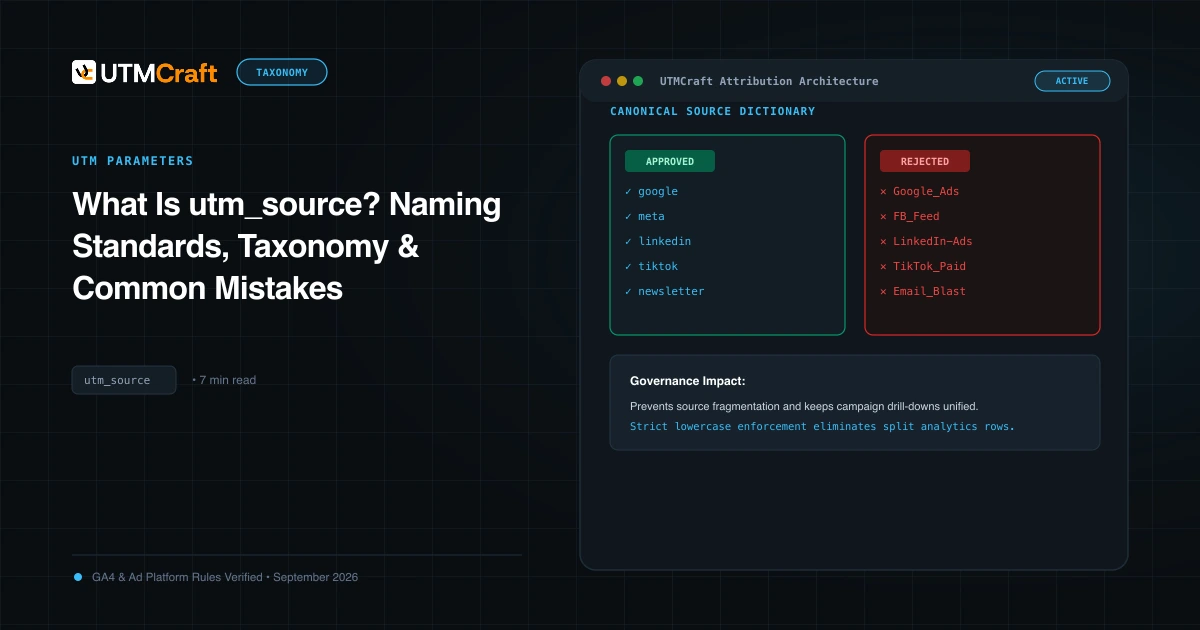
What Is utm_source? Naming Standards, Taxonomy & Common Mistakes
Learn what utm_source is, how Google Analytics 4 uses it to determine traffic origin, approved naming conventions, and common mistakes that split reporting.
5 utm_medium Mistakes That Send Traffic to the Wrong GA4 Channel
Discover why non-standard utm_medium tags route your traffic to Unassigned in GA4. Learn the exact casing and syntax rules to maintain clean channel grouping.