

15 UTM Tracking Mistakes That Ruin Your GA4 Data (and How to Fix Them)
Discover the 15 most destructive UTM tracking mistakes breaking GA4 attribution, causing Unassigned traffic, and corrupting ad ROI—with actionable fixes.
Table of Contents
- Why UTM Mistakes Silently Destroy Marketing ROI
- The 15 UTM Mistakes Ruining Your GA4 Data
- 1. Tagging Internal Website Links with UTMs
- 2. Inconsistent Letter Casing (CPC vs cpc)
- 3. Inventing Non-Standard utm_medium Values
- 4. Allowing 301/302 Redirects to Strip Query Strings
- 5. Using Spaces and Raw Special Characters
- 6. Placing UTM Parameters After the URL Hash (#)
- 7. Swapping utm_source and utm_medium
- 8. Hardcoding Static Values in Dynamic Ad Templates
- 9. Overwriting Auto-Tagging Without Alignment
- 10. Using Cryptic, Undocumented Campaign Names
- 11. Leaving Non-Paid Touchpoints Unmonitored
- 12. Mixing Delimiters (Underscores, Hyphens & Pluses)
- 13. Passing PII in UTM Parameter Strings
- 14. Confusing First User vs Session Scopes in GA4
- 15. Launching Paid Campaigns Without Pre-Flight QA
- Automated Link Auditing with the UTMCraft Checker
- Frequently Asked Questions
Marketers spend billions on paid search, social campaigns, and email sequences, yet up to 40% of campaign traffic lands in Google Analytics 4 as Direct or Unassigned. The problem is almost never the ad platform or GA4 itself—it is subtle, systemic UTM tracking mistakes that silently corrupt attribution pipelines.
Why UTM Mistakes Silently Destroy Marketing ROI
When UTM parameters fail, three expensive consequences follow:
- Attribution Blindness: Profitable acquisition channels appear unprofitable because conversions get falsely attributed to Direct or Organic Search.
- Wasted Ad Budget: Media buyers kill top-performing ad creative because GA4 reports zero attributed revenue.
- Executive Distrust: Performance dashboards show conflicting figures across ad platform reporting, GA4, and your CRM, destroying confidence in marketing forecasts.
The 15 UTM Mistakes Ruining Your GA4 Data
1. Tagging Internal Website Links with UTMs
This is the cardinal sin of web measurement. If a visitor arrives from a paid Google Search ad and clicks an internal homepage banner tagged with ?utm_source=internal_banner, you inflict severe damage on your data:
- In Universal Analytics, this instantly ended the current session and started a brand-new session.
- In GA4, while it may not split the session ID immediately, it overwrites the session's manual traffic source and destroys the original attribution chain. The Google Ads conversion is lost forever.
Use internal event tracking (e.g. custom GA4 events like banner_click with event parameters like promotion_name) instead of UTM parameters for on-site navigation.
2. Inconsistent Letter Casing (CPC vs cpc)
Google Analytics 4 is strictly case-sensitive. While humans read Facebook, facebook, and FACEBOOK as the same platform, GA4 treats them as three independent traffic sources. Worse, GA4 Default Channel Grouping regular expressions specifically require lowercase values for default channel matches.
| Tagged Parameter | GA4 Classification | Impact |
|---|---|---|
utm_medium=cpc | Paid Search | Correct attribution |
utm_medium=CPC | Unassigned | Broken channel grouping |
utm_source=Google | Splits from google | Fragmented reporting rows |
3. Inventing Non-Standard utm_medium Values
GA4 relies on rigid definitions for its Default Channel Groups. When media teams invent subjective mediums like utm_medium=paid, utm_medium=promoted-post, or utm_medium=influencers, GA4 cannot classify the traffic and dumps it into Unassigned.
Always verify your medium against our GA4 Default Channel Grouping guide. If you need custom classifications, either conform to standard mediums (e.g., cpc, paid_social, email, affiliate) or build Custom Channel Groups in GA4 Admin.
4. Allowing 301/302 Redirects to Strip Query Strings
A marketer promotes https://example.com/summer-sale?utm_source=meta..., but the web server forces a redirect to https://example.com/summer-sale/ (trailing slash) or converts HTTP to HTTPS. If the redirect server is not configured with Query String Append (QSA), the entire UTM payload drops silently on the floor. In GA4, 100% of this traffic becomes Direct.
Always run destination URLs through our UTM Checker and inspect server response headers to confirm that redirects preserve window.location.search.
5. Using Spaces and Raw Special Characters
Raw spaces in URLs produce messy encodings like %20 or +. In GA4 reports, this creates duplicate split entries (e.g., summer sale, summer%20sale, and summer+sale). Use lowercase alphanumeric characters separated strictly by hyphens or underscores.
❌ Broken: ?utm_campaign=Spring Sale 2026!
✅ Fixed:  ?utm_campaign=spring-sale-2026
6. Placing UTM Parameters After the URL Hash (#)
Web browsers and web servers treat the hash character (#) as a client-side fragment identifier. Modern Single Page Applications (SPAs) that place parameters after the hash prevent servers and analytics scripts from capturing standard query parameters:
❌ Broken: https://example.com/#/pricing?utm_source=newsletter
✅ Fixed:  https://example.com/?utm_source=newsletter#/pricing
7. Swapping utm_source and utm_medium
Remember the golden hierarchy: Source is WHO (the platform delivering the traffic, e.g. google, linkedin), while Medium is HOW (the marketing mechanism, e.g. cpc, paid_social, email). Swapping them (e.g. utm_source=cpc&utm_medium=google) completely destroys channel grouping.
8. Hardcoding Static Values in Dynamic Ad Templates
In Meta and Google Ads, media buyers frequently copy and paste URLs with hardcoded ad IDs or campaign names across ad sets. As campaigns scale, ads in "Ad Set B" report traffic under "Ad Set A" because the UTM string was never parameterized with dynamic tokens like {{adset.name}} or {campaignid}.
9. Overwriting Auto-Tagging Without Alignment
When running Google Ads with auto-tagging (GCLID) enabled, adding manual UTM parameters without enabling the "Allow manual tagging (UTM values) to override auto-tagging" checkbox in GA4 property settings can produce severe data conflicts and attribution discrepancies.
10. Using Cryptic, Undocumented Campaign Names
Naming campaigns camp_01_v2_final makes reporting impossible 6 months later. Establish a repeatable taxonomy: [region]-[objective]-[theme]-[year] (e.g., us-lead-ebook-2026). Read our UTM Naming Conventions Guide to implement an organizational standard.
11. Leaving Non-Paid Touchpoints Unmonitored
Organic social bio links, customer support email signatures, press releases, partner webinars, and offline QR codes account for massive traffic volume. If untagged, they land as generic Direct or Referral, masking your true organic reach.
12. Mixing Delimiters (Underscores, Hyphens & Pluses)
When team member A uses hyphens (q1-promo) and team member B uses underscores (q1_promo), GA4 isolates them into distinct reporting rows, doubling your manual aggregation workload in Looker Studio.
13. Passing PII in UTM Parameter Strings
Passing personally identifiable information like utm_term=user@example.com or phone numbers directly violates Google Analytics Terms of Service. Google’s automated compliance scrapers can terminate your entire GA4 property and wipe historical data without warning.
14. Confusing First User vs Session Scopes in GA4
Marketers frequently pull reports comparing First user source / medium against Session source / medium and wonder why the numbers do not match. First User is sticky across all time; Session changes on every visit. Mixing scopes produces flawed campaign decisions.
15. Launching Paid Campaigns Without Pre-Flight QA
Never authorize daily ad spend without testing your URLs in GA4 DebugView or Realtime first. Our Pre-Launch UTM QA Checklist prevents 99% of tracking failures before a single ad dollar is spent.
Automated Link Auditing with the UTMCraft Checker
Instead of manually inspecting long URL query strings, run your links through the UTMCraft UTM Checker. The tool validates parameter completeness, checks lowercase compliance, flags forbidden delimiters, tests GA4 channel matching, and generates 1-click repairs.
Frequently Asked Questions
What is the single most damaging UTM mistake in Google Analytics 4?
Tagging internal website links with UTMs. It overwrites original session traffic sources, breaks attribution chains, and turns paid conversions into internal referrals.
Why does my campaign traffic show up as (Unassigned) in GA4?
Traffic is categorized as Unassigned when your utm_medium or utm_source does not match any rule in GA4’s Default Channel Grouping table. This is usually caused by uppercase letters or custom invented mediums.
Are UTM parameters case-sensitive in GA4?
Yes. GA4 treats cpc, CPC, and Cpc as three distinct values. Furthermore, GA4 default channel grouping requires strict lowercase values to match standard rules.
Sources & Authoritative References
- Google Analytics 4 Default Channel Grouping Rules (Google Support)
- GA4 URL builders: UTM best practices (Google Support)
- RFC 3986: Uniform Resource Identifier (URI) Generic Syntax (IETF)
Related Measurement Guides
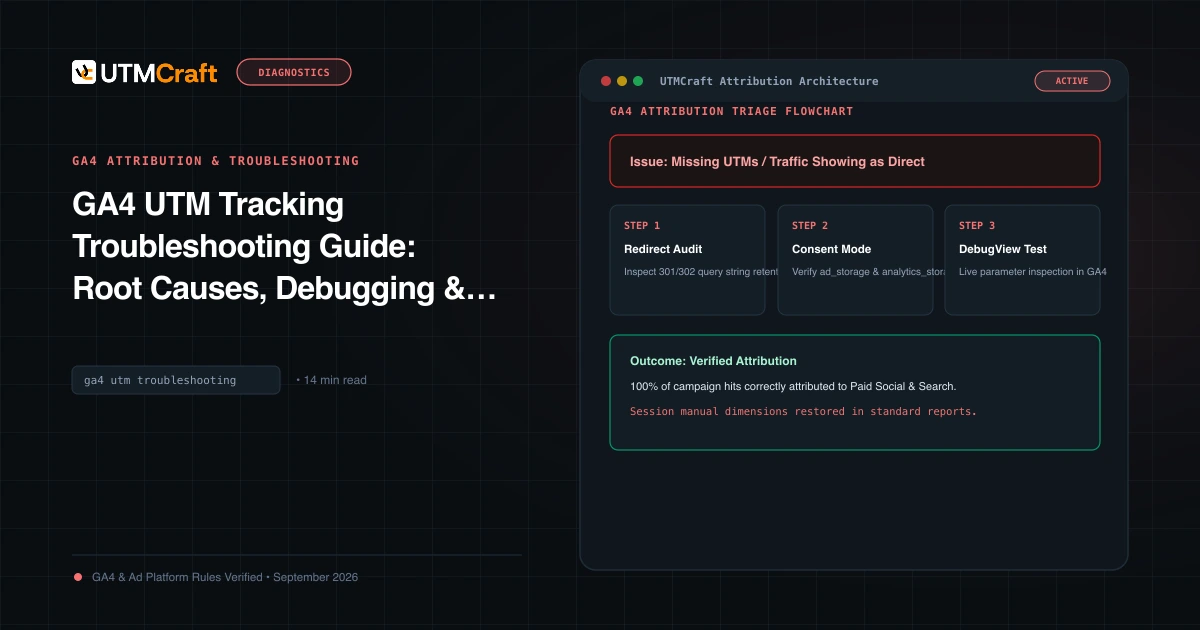
GA4 UTM Tracking Troubleshooting Guide: Root Causes, Debugging & Solutions
Diagnose and fix broken UTM tracking in Google Analytics 4. Comprehensive root cause analysis for Unassigned traffic, Direct spikes, (not set), and stripped query strings.
7 UTM Naming Mistakes Marketing Teams Keep Making
Avoid the 7 most common UTM naming mistakes that fragment campaign reports, create duplicate rows in GA4, and derail marketing attribution.
5 utm_medium Mistakes That Send Traffic to the Wrong GA4 Channel
Discover why non-standard utm_medium tags route your traffic to Unassigned in GA4. Learn the exact casing and syntax rules to maintain clean channel grouping.