

Google Ads Auto-Tagging vs UTMs: When to Use GCLID, UTMs, or Both
Compare Google Ads auto-tagging (GCLID) and manual UTM parameters. Discover why the hybrid tracking model provides maximum analytics accuracy and CRM visibility.
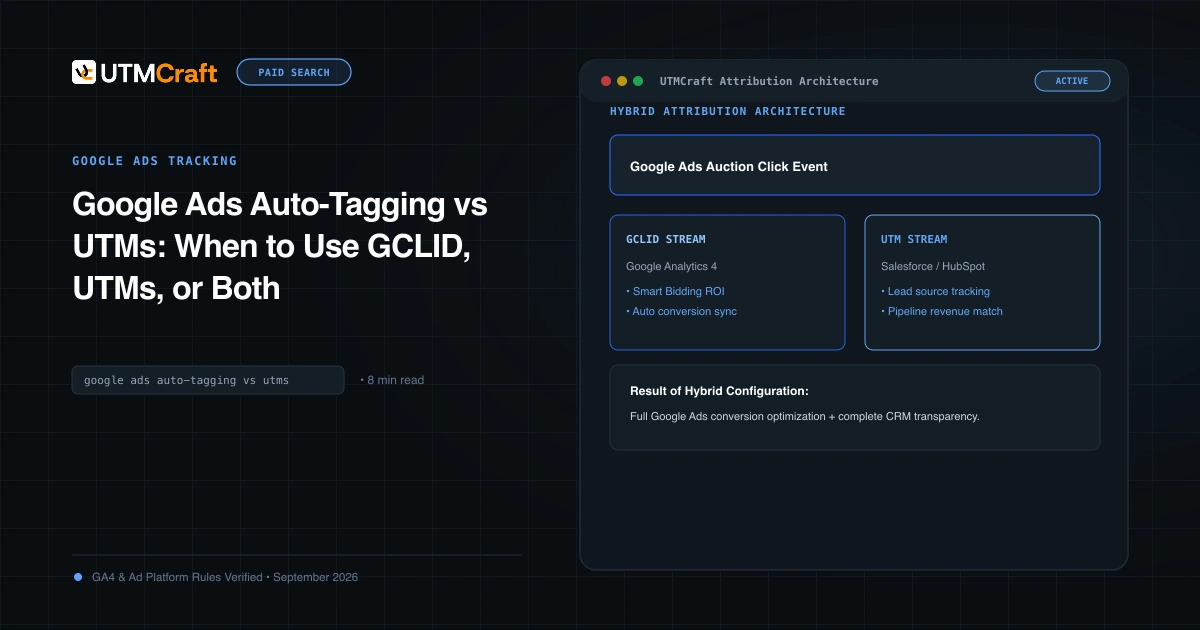
Table of Contents
Performance marketers often ask: "If Google Ads auto-tagging automatically sends data to Google Analytics 4, why should I bother adding UTM parameters?" The short answer is that auto-tagging only communicates with Google products. If you use a CRM, a data warehouse, or third-party attribution tools, auto-tagging alone leaves you blind.
The Core Dilemma: Auto-Tagging vs Manual Tagging
Auto-tagging appends a Google Click Identifier (gclid) to your destination URL. When the user lands on your site, the GA4 tag reads this hash and contacts Google's servers to import 20+ dimensions, including keyword, search query, ad group, and cost. However, the data inside the GCLID hash is encrypted: external tools like HubSpot, Salesforce, Marketo, and Mixpanel cannot decrypt it.
Detailed Comparison: Capabilities & Limitations
| Capability | Auto-Tagging (GCLID Only) | Manual UTMs Only | Hybrid (Both Together) |
|---|---|---|---|
| GA4 Impression & Cost Data | Yes | No (Requires CSV upload) | Yes |
| Query & Match Type Reporting | Yes | Partial (via ValueTrack) | Yes |
| CRM Form Field Capture | No (Requires Offline API) | Yes (Plain text) | Yes |
| Third-Party BI & Analytics | No | Yes | Yes |
| Resilience Against Safari ITP | Fragile (Shortened cookie lifespan) | High (Plain parameters) | High |
Why the Hybrid Approach Is the Industry Standard
In a hybrid setup, you leave Auto-Tagging turned ON in Google Ads account settings, but you also configure an account-level Final URL Suffix that dynamically populates UTM parameters via ValueTrack tokens. GA4 continues to use the GCLID for deep AdWords reporting, while your lead forms and CRM grab the plain-text UTM parameters.
How to Configure Hybrid Tracking Step-by-Step
- In Google Ads, click Admin > Account settings.
- Under Auto-tagging, ensure "Tag the URL that people click through from my ad" is checked.
- Under Tracking, enter your Final URL Suffix:
utm_source=google&utm_medium=cpc&utm_campaign={_campaign}&utm_term={keyword}&utm_content={creative}&utm_id={campaignid} - In GA4 Admin > Property Settings > Data collection, ensure "Allow manual tagging to override auto-tagging" remains unchecked (unless you have a specific requirement to overwrite GCLID values in GA4).
Sources & Authoritative References
- Benefits of Auto-Tagging (Google Ads Help)
Related Measurement Guides
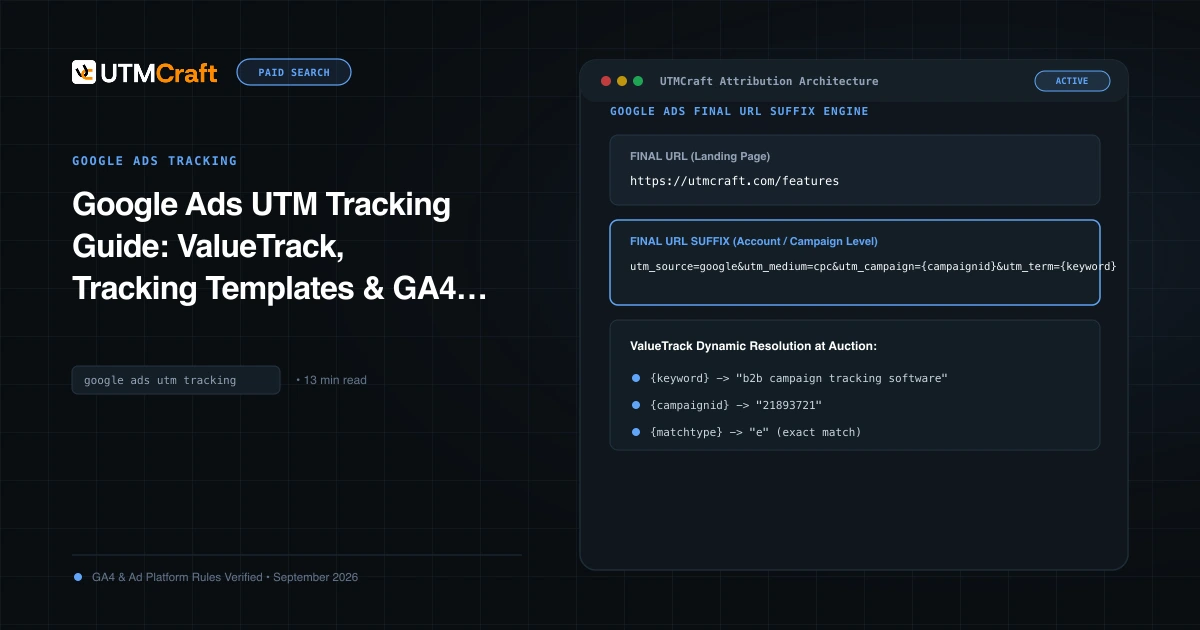
Google Ads UTM Tracking Guide: ValueTrack, Tracking Templates & GA4 Attribution
The complete technical guide to Google Ads UTM tracking. Configure account-level tracking templates, ValueTrack parameters, and GA4 auto-tagging without conflicts.
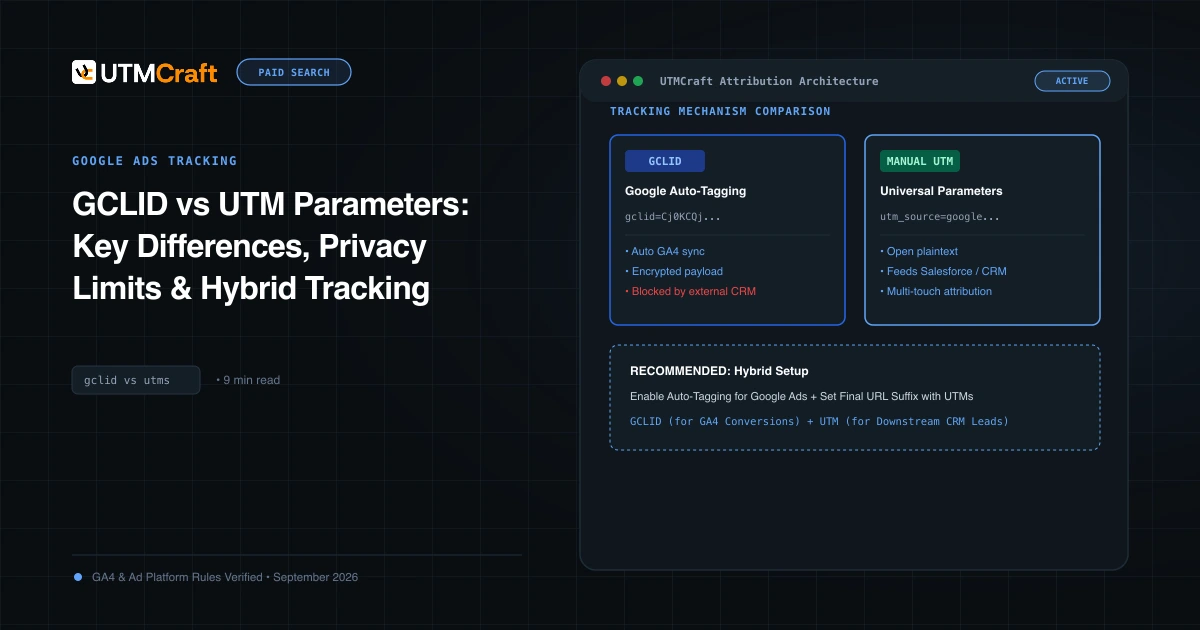
GCLID vs UTM Parameters: Key Differences, Privacy Limits & Hybrid Tracking
Understand the technical architecture of GCLID vs UTM parameters. Learn how Apple ITP impacts click IDs and how to build a privacy-durable attribution pipeline.
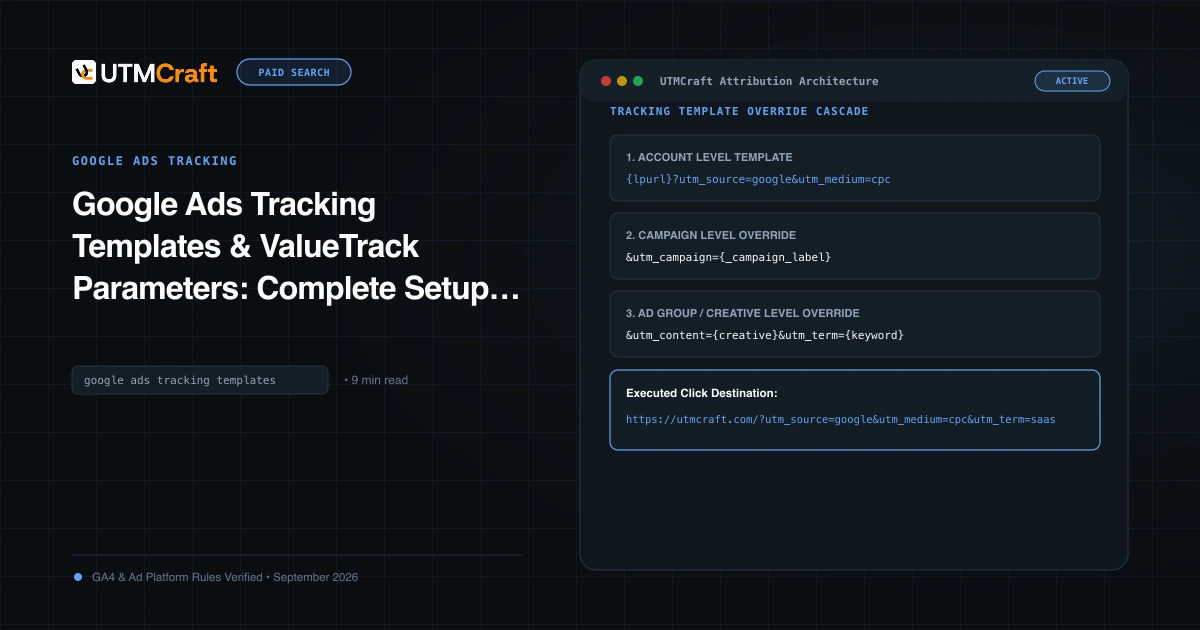
Google Ads Tracking Templates & ValueTrack Parameters: Complete Setup Guide
Step-by-step tutorial on setting up Google Ads tracking templates and ValueTrack parameters at account, campaign, and ad group levels. Free copyable templates.