

5 UTM Mistakes to Fix Before Launching a Paid Campaign
Protect your ad spend before opening the budget floodgates. Run this 5-step pre-launch UTM QA checklist to catch tracking errors before ads go live.
Table of Contents
- Why Pre-Flight QA Protects Your Ad Budget
- The 5 Critical Pre-Launch UTM Mistakes
- 1. Launching Without Clicking the Live Tagged URL
- 2. Skipping Verification in GA4 DebugView and Realtime
- 3. Forgetting to Test CRM Form Hidden Field Capture
- 4. Missing Question Marks (?) or Ampersands (&)
- 5. Launching Without Channel Grouping Verification
- The 5-Minute Pre-Launch QA Protocol
- Frequently Asked Questions
Authorizing thousands of dollars in daily ad spend without testing your tracking parameters is like taking off in an airplane without a pre-flight checklist. Catching tracking errors 10 minutes before launch saves weeks of broken data and wasted ad spend.
Why Pre-Flight QA Protects Your Ad Budget
Once ad campaigns go live, fixing a broken parameter requires pausing ads, updating creative links, and waiting for ad network re-review. Worse, all traffic acquired during the broken period is permanently corrupted in your analytics history.
The 5 Critical Pre-Launch UTM Mistakes
1. Launching Without Clicking the Live Tagged URL
Never rely on visual inspection alone. Paste your full tagged link into an incognito window and verify that the page loads with all query parameters intact in the address bar.
2. Skipping Verification in GA4 DebugView and Realtime
Verify that your test session appears in GA4 DebugView or the Realtime report with the exact expected source, medium, and campaign dimensions.
3. Forgetting to Test CRM Form Hidden Field Capture
Fill out a test lead form on the landing page and verify that the lead record created in HubSpot or Salesforce contains the UTM parameters in its hidden fields.
4. Missing Question Marks (?) or Ampersands (&)
Accidentally including two question marks (?page=1?utm_source=...) or omitting the & between parameters renders the entire query string unparseable.
5. Launching Without Channel Grouping Verification
Confirm that your utm_medium matches GA4 Default Channel Grouping rules to prevent your ad spend from immediately routing to Unassigned.
The 5-Minute Pre-Launch QA Protocol
- Pass the URL through the UTMCraft UTM Checker.
- Open the link in an incognito window and check for redirect parameter loss.
- Inspect GA4 Realtime to verify
session_campaigncapture. - Submit a test form to verify CRM hidden field storage.
- Authorize ad spend with full attribution confidence.
Frequently Asked Questions
How fast do UTM parameters appear in GA4 DebugView?
Immediately. DebugView displays incoming hits in real-time within seconds of page load, allowing instantaneous pre-flight validation.
How do I test my UTM parameters without polluting production GA4 data?
Use the Google Analytics Debugger Chrome extension, which flags hits with the debug_mode parameter. You can view them in DebugView and filter them out of production reporting.
Sources & Authoritative References
- Google Analytics 4 Monitor Events in DebugView (Google Support)
Related Measurement Guides
Pre-Launch UTM QA Checklist: 16 Steps to Prevent Broken Campaign Attribution
Prevent broken tracking before you launch. A comprehensive 16-step quality assurance checklist for validating UTM links, redirects, casing, and GA4 DebugView.
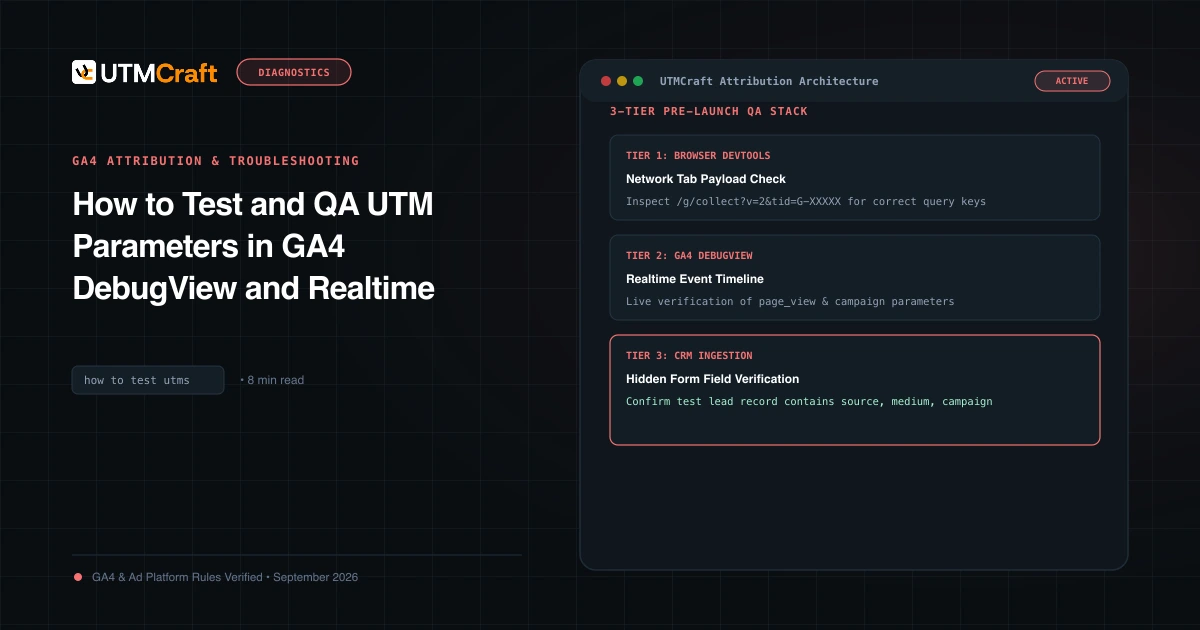
How to Test and QA UTM Parameters in GA4 DebugView and Realtime
Learn how to test and verify UTM tracking in Google Analytics 4 before spending ad budget. Step-by-step guide using DebugView, Realtime, and DevTools.
15 UTM Tracking Mistakes That Ruin Your GA4 Data (and How to Fix Them)
Discover the 15 most destructive UTM tracking mistakes breaking GA4 attribution, causing Unassigned traffic, and corrupting ad ROI—with actionable fixes.