

10 Signs Your UTM Tracking System Needs an Immediate Audit
High Unassigned traffic, Direct spikes, and blank CRM lead sources mean your attribution is compromised. Recognize these 10 warning signs and audit your system.
Table of Contents
- Why Tracking Audits Are Non-Negotiable
- 10 Signs Your UTM System Is Failing
- 1. Over 10% of Traffic Is Categorized as Unassigned
- 2. Sudden Direct Traffic Spikes During Paid Campaigns
- 3. Dozens of Duplicate Rows for Single Campaigns
- 4. "(not set)" Appears in Your Top Campaign Dimensions
- 5. Paid Social Ads Show Up as Generic Referrals
- 6. Multiple Teams Use Competing Tagging Spreadsheets
- 7. Extreme Discrepancies Between Ad Platforms and GA4
- 8. Sales Reps Receive Leads with Blank Source Fields
- 9. Nobody Owns or Enforces Tracking Governance
- 10. Marketing Leadership Cannot Verify Campaign ROI
- How to Conduct a Rapid UTM Health Audit
- Frequently Asked Questions
Attribution breakdown rarely happens overnight. It creeps in as new media buyers join, ad platforms launch new campaign formats, and redirects are deployed on your website without testing. Here are the 10 unmistakable warning signs that your UTM tracking system requires an immediate audit.
Why Tracking Audits Are Non-Negotiable
Clean analytics data is the foundation of every marketing budget decision. When your tracking system degrades, marketing spend is allocated to underperforming channels while top-performing channels are starved of budget.
10 Signs Your UTM System Is Failing
1. Over 10% of Traffic Is Categorized as Unassigned
In a healthy GA4 property, Unassigned should account for less than 2% of total sessions. If Unassigned exceeds 10%, your team is using non-standard mediums or broken casing.
2. Sudden Direct Traffic Spikes During Paid Campaigns
If direct traffic surges whenever you scale paid ad budgets, your landing pages or email redirects are stripping UTM parameters.
3. Dozens of Duplicate Rows for Single Campaigns
Seeing spring_promo, Spring_Promo, and spring-promo in the same report means you lack casing enforcement and delimiter standards.
4. "(not set)" Appears in Your Top Campaign Dimensions
A high volume of (not set) in campaign dimensions indicates missing source/medium anchors or Measurement Protocol tracking gaps.
5. Paid Social Ads Show Up as Generic Referrals
If l.facebook.com or lnkd.in appear in your Referral report with significant traffic, your paid social links lack required UTM parameters.
6. Multiple Teams Use Competing Tagging Spreadsheets
Spreadsheet proliferation guarantees naming divergence. Centralize URL generation in a single shared tool.
7. Extreme Discrepancies Between Ad Platforms and GA4
When Meta reports 1,000 conversions and GA4 reports 50, tracking syntax errors or redirect drops are hiding your paid performance.
8. Sales Reps Receive Leads with Blank Source Fields
When sales pipeline cannot be attributed to specific marketing campaigns, hidden form field capture is broken.
9. Nobody Owns or Enforces Tracking Governance
If there is no single person or documented protocol responsible for UTM compliance, quality degrades rapidly.
10. Marketing Leadership Cannot Verify Campaign ROI
When leadership cannot answer which channels drove pipeline last quarter, a comprehensive tracking audit is mandatory.
How to Conduct a Rapid UTM Health Audit
Export your last 90 days of Session source / medium and Session campaign data from GA4. Run top campaign links through the UTMCraft UTM Checker to identify broken tags, fix casing errors, and establish locked taxonomy rules.
Frequently Asked Questions
How often should an organization audit its UTM tracking?
Conduct a quarterly data hygiene review in GA4, and run pre-flight QA audits before every major campaign launch or website redesign.
What is the fastest way to fix high Unassigned traffic?
Export your Unassigned source/medium pairs from GA4. Identify the non-standard values (e.g., uppercase letters or custom mediums), update live ad tracking templates, and create a Custom Channel Group to rescue historical data.
Sources & Authoritative References
- Clicks and sessions discrepancy: Google Ads and Analytics (Google Support)
Related Measurement Guides
15 UTM Tracking Mistakes That Ruin Your GA4 Data (and How to Fix Them)
Discover the 15 most destructive UTM tracking mistakes breaking GA4 attribution, causing Unassigned traffic, and corrupting ad ROI—with actionable fixes.
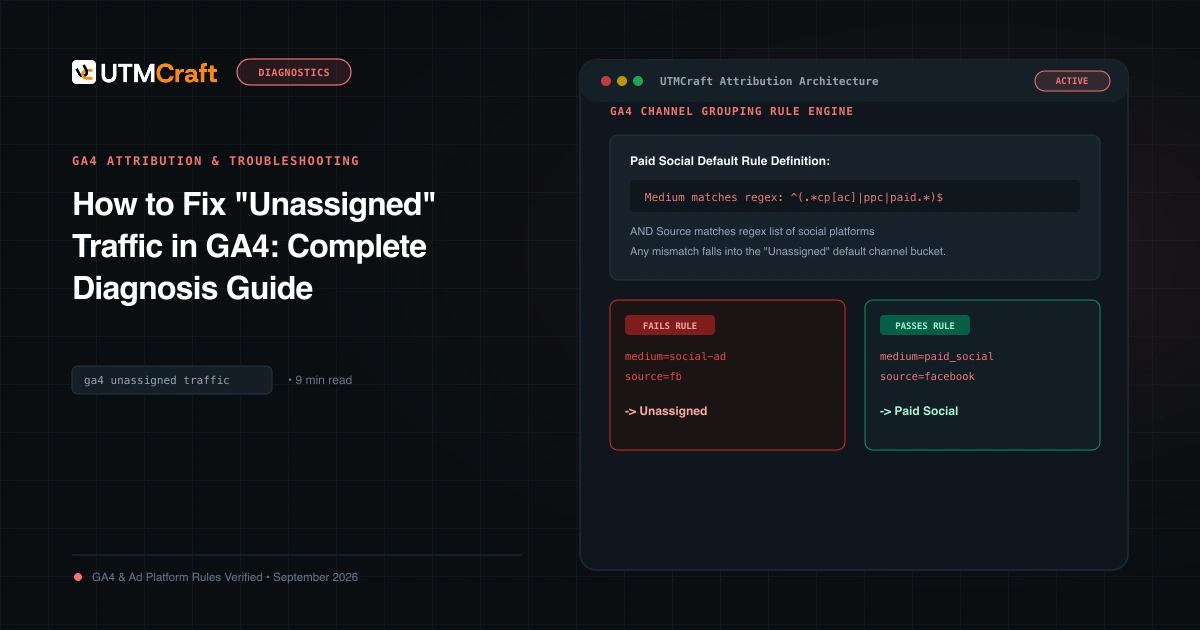
How to Fix "Unassigned" Traffic in GA4: Complete Diagnosis Guide
Why does GA4 show Unassigned traffic? Discover the exact channel grouping regex rules, common medium mistakes, and how to fix Unassigned traffic permanently.
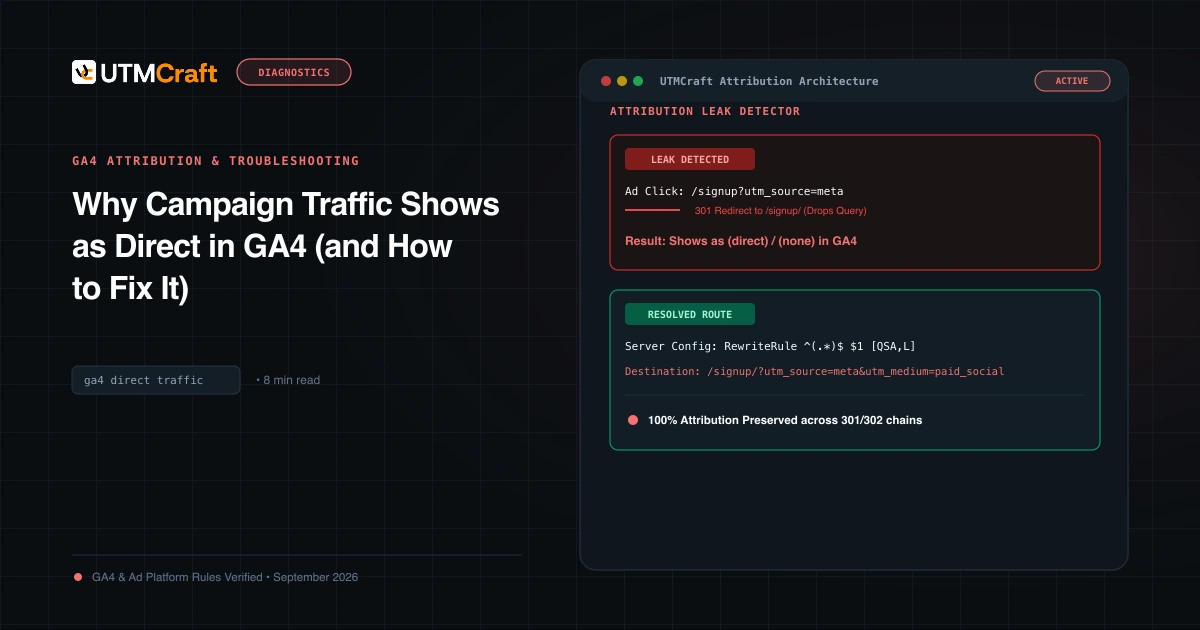
Why Campaign Traffic Shows as Direct in GA4 (and How to Fix It)
Why is your paid traffic showing as Direct in GA4? Learn the 7 primary causes of false direct traffic, redirect parameter loss, and how to recover attribution.