

UTM Operations: How to Build a Reliable Campaign Tracking Workflow
Learn how to operationalize UTM tracking across marketing, RevOps, and engineering. Build automated generation, hidden form capture, and CRM attribution pipelines.
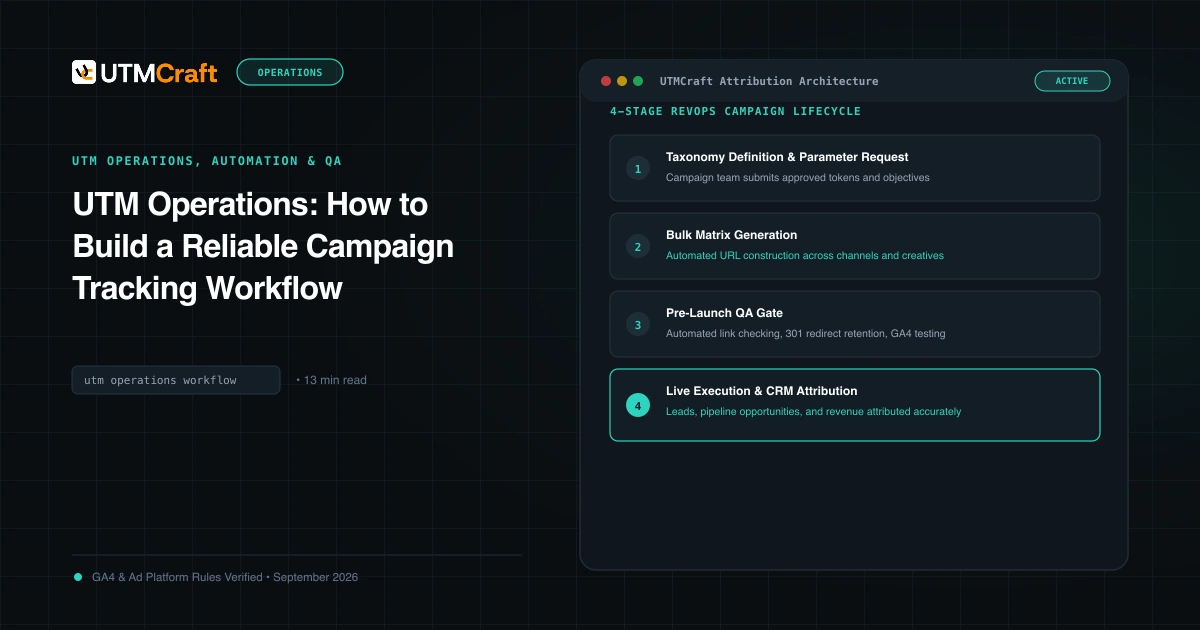
Table of Contents
- The End-to-End Lifecycle of Attribution Data
- Browser Capture: Cookies vs localStorage vs sessionStorage
- First-Touch vs Last-Touch: Storing Both in Your CRM
- Hidden Form Fields Implementation (Pure JavaScript)
- Syncing Parameters into HubSpot, Salesforce, and Zoho
- Automating Campaign Link Generation with Zapier & APIs
- Frequently Asked Questions
True marketing operations excellence is not measured by how well a marketer copies a UTM link. It is measured by how seamlessly attribution data flows from the initial ad click, through client-side browser storage, into hidden lead form fields, and ultimately into CRM opportunities and closed-won pipeline. This guide details the complete operational tracking stack.
The End-to-End Lifecycle of Attribution Data
A resilient tracking pipeline moves through four sequential stages:
- Link Generation: Deterministic creation of tagged URLs using pre-set taxonomy rules.
- Client-Side Persistence: Capturing incoming query parameters on the landing page and storing them in client cookies or
localStorage. - Form Injection: Dynamically populating hidden form inputs when the visitor converts on a demo or signup form.
- CRM Ingestion & Revenue Attribution: Storing first-touch and last-touch parameters on Contact, Lead, and Deal records in Salesforce, HubSpot, or custom databases.
Browser Capture: Cookies vs localStorage vs sessionStorage
When a prospect lands on example.com/?utm_source=linkedin&utm_campaign=q4_demo, they rarely submit a form on the initial landing page. They browse to the Product page, inspect Pricing, read customer stories, and convert 4 pages later. If you do not persist the UTM parameters across pageviews, the query string is lost, and the form submission receives zero attribution.
| Storage Mechanism | Lifespan | Subdomain Sharing | ITP Resistance | Verdict |
|---|---|---|---|---|
| First-Party Cookie | Custom (1 to 365 days) | Yes (across all .example.com) |
Capped at 1-7 days in Safari | Recommended for Subdomain Support |
| localStorage | Persistent until cache cleared | No (isolated per origin) | Capped at 7 days in Safari | Recommended for Single-Domain Apps |
| sessionStorage | Dies when tab is closed | No | Full duration of tab | Too fragile for multi-tab browsing |
First-Touch vs Last-Touch: Storing Both in Your CRM
Do not force your organization into an ideological debate between first-touch and last-touch attribution. Store both simultaneously.
- First Touch (Creation Source): Answers "Which campaign introduced this prospect to our brand?" Set these fields once when the contact is created and never overwrite them.
- Last Touch (Conversion Source): Answers "Which campaign prompted this prospect to request a demo or buy today?" Overwrite these fields on every subsequent form conversion.
Hidden Form Fields Implementation (Pure JavaScript)
Here is an enterprise-grade, lightweight vanilla JavaScript snippet that reads incoming UTM parameters from the URL, persists them in cookies, and auto-populates hidden form inputs across your website:
// Capture and persist UTM parameters across session
(function() {
  const params = ['utm_source', 'utm_medium', 'utm_campaign', 'utm_term', 'utm_content', 'utm_id', 'gclid'];
  const urlParams = new URLSearchParams(window.location.search);

  // 1. Save incoming parameters to cookies (valid for 30 days)
  params.forEach(param => {
    const val = urlParams.get(param);
    if (val) {
      document.cookie = `${param}=${encodeURIComponent(val)}; max-age=2592000; path=/; domain=.${location.hostname.replace(/^www\./, '')}; SameSite=Lax`;
    }
  });

  // 2. Helper to read cookies
  function getCookie(name) {
    const value = `; ${document.cookie}`;
    const parts = value.split(`; ${name}=`);
    if (parts.length === 2) return decodeURIComponent(parts.pop().split(';').shift());
    return null;
  }

  // 3. Inject into hidden form fields upon DOM ready
  document.addEventListener('DOMContentLoaded', () => {
    params.forEach(param => {
      const storedVal = getCookie(param);
      if (storedVal) {
        document.querySelectorAll(`input[name="${param}"], input[data-field="${param}"]`).forEach(input => {
          input.value = storedVal;
        });
      }
    });
  });
})();Syncing Parameters into HubSpot, Salesforce, and Zoho
Create dedicated custom properties on your CRM Contact and Deal objects:
First Touch Source,First Touch Medium,First Touch CampaignLast Touch Source,Last Touch Medium,Last Touch CampaignGCLID(Google Click Identifier for offline conversion upload)
Map your web form fields directly to these CRM properties. When an opportunity is created, copy these properties from the Contact to the Deal record to empower revenue reporting.
Automating Campaign Link Generation with Zapier & APIs
For organizations running hundreds of campaigns weekly, manual link building creates a bottleneck. Integrate UTMCraft Bulk Generator or automated webhook scripts into your marketing project management tools (Asana, Monday.com, Jira). When a campaign brief reaches "Approved" status, auto-generate tagged links programmatically.
Frequently Asked Questions
How do hidden form fields capture UTM parameters into CRM systems?
When a visitor lands on your site with UTM parameters, a lightweight JavaScript snippet extracts the values from window.location.search and saves them to localStorage or first-party cookies. When the visitor navigates to a demo or contact form, the script injects those stored values into invisible <input type="hidden"> fields, which submit directly to your CRM.
Should a CRM store first-touch or last-touch UTM parameters?
Enterprise RevOps best practice is to capture both. Store First-Touch UTMs in immutable fields (which never overwrite after initial lead creation) to measure top-of-funnel acquisition channels. Simultaneously, update Last-Touch UTM fields on every form submission to measure the asset or promotion that prompted the conversion.
Why use first-party cookies or localStorage instead of sessionStorage for UTMs?
sessionStorage is wiped as soon as the visitor closes their browser tab. In B2B and high-consideration purchases, prospects frequently research across multiple days before submitting a form. First-party cookies or localStorage preserve attribution data across return visits.
What is the fastest way to QA high volumes of UTM links before launching?
Use an automated validator like UTMCraft UTM Checker. It inspects parameters against official GA4 Default Channel Grouping regexes, flags missing required fields, checks for mixed-case errors, and tests for server redirect query parameter loss.
Sources & Authoritative References
- HubSpot Tracking Code & Parameters (HubSpot Knowledge Base)
- Web Storage API Specification (WHATWG)
Related Measurement Guides
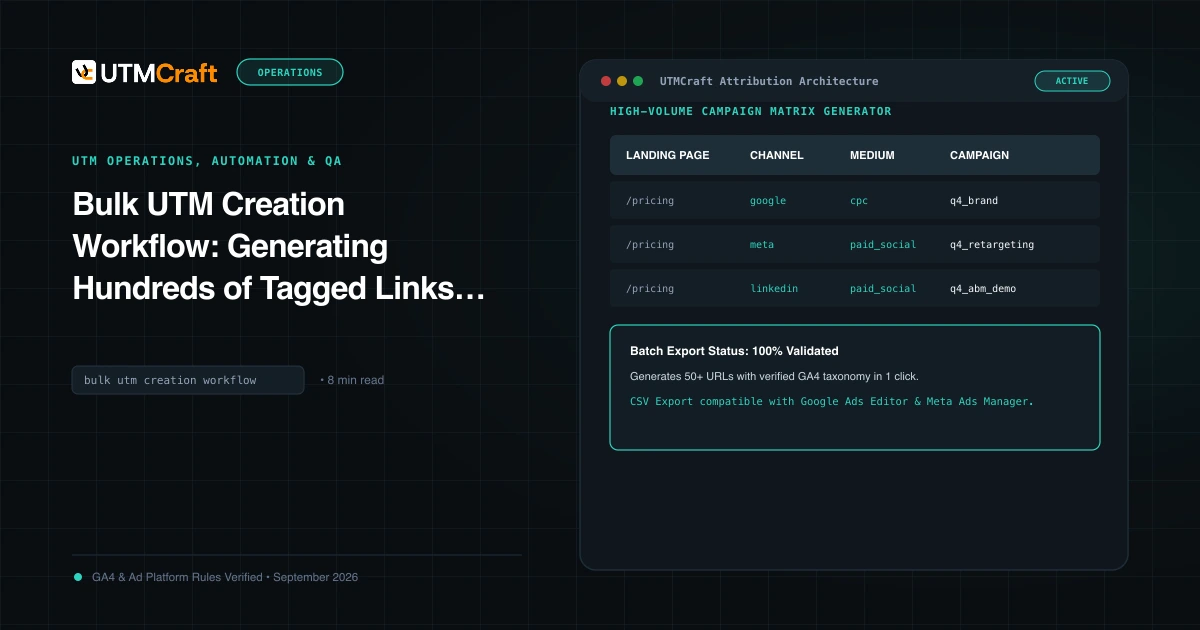
Bulk UTM Creation Workflow: Generating Hundreds of Tagged Links Without Errors
Learn how to generate hundreds of UTM tracking links in minutes without errors. Standardize bulk campaign matrix creation across multiple channels.
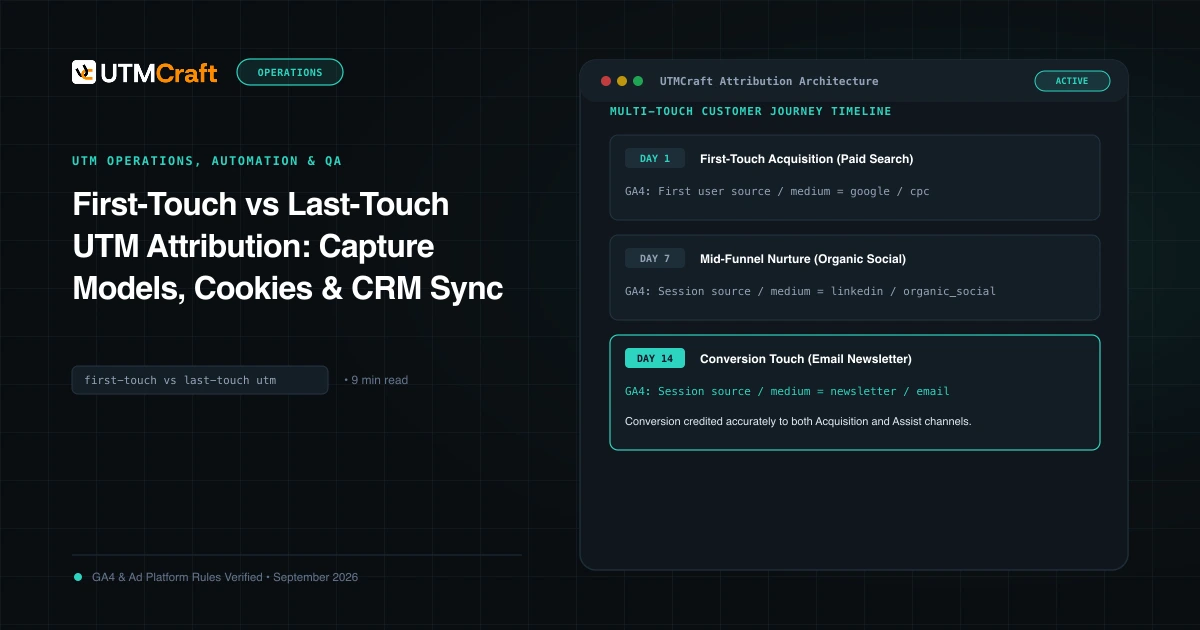
First-Touch vs Last-Touch UTM Attribution: Capture Models, Cookies & CRM Sync
Learn the architectural differences between first-touch and last-touch UTM attribution. How to capture both models in cookies, localStorage, and your CRM.
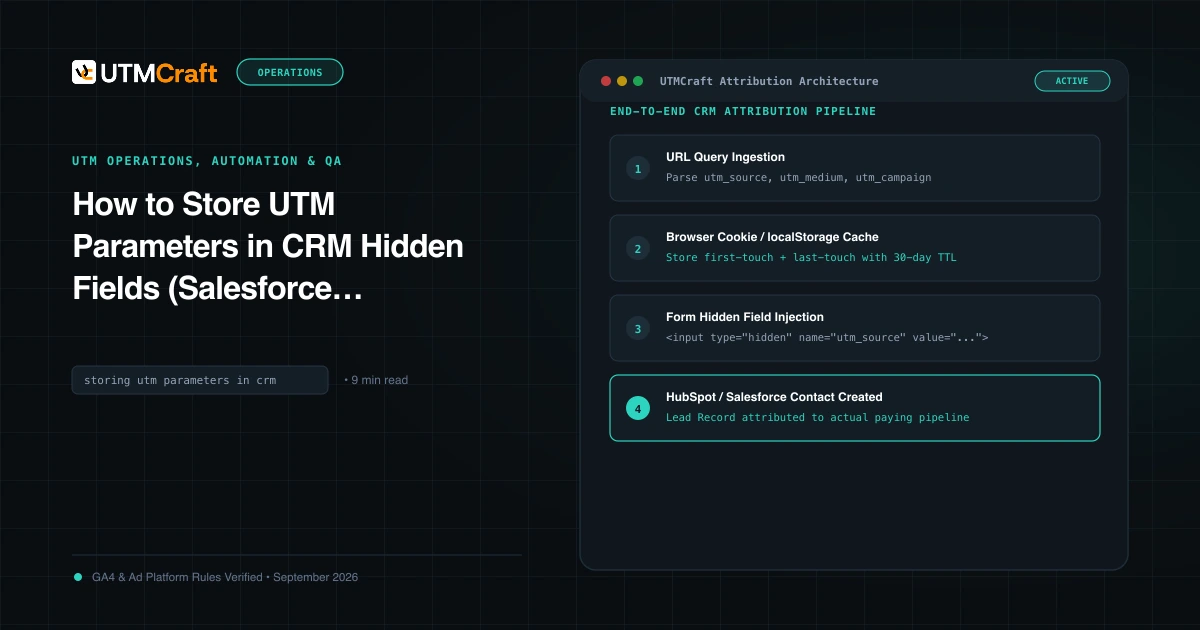
How to Store UTM Parameters in CRM Hidden Fields (Salesforce, HubSpot & Forms)
Complete guide on capturing UTM parameters in hidden form fields and syncing attribution into Salesforce, HubSpot, and Zoho CRM without losing data.