Table of Contents
- Quick start: choose the right setup
- What GA4 can and cannot measure
- Choose your WhatsApp UTM convention
- Build broadcast and sales-outreach links
- Find WhatsApp campaign results in GA4
- Create a WhatsApp channel group
- Track website WhatsApp buttons with GTM
- Connect clicks to qualified leads
- Troubleshoot missing or conflicting data
- Download the launch checklist
- Frequently asked questions
To track a website link shared through WhatsApp, add UTM parameters to the destination URL and measure the visit in GA4. To track a WhatsApp button on your website, record a click event before the visitor leaves. Neither method, by itself, confirms that someone sent a message or became a customer.
This guide covers broadcasts, one-to-one sales follow-ups and website chat buttons. You will get a naming convention, copyable examples, reporting instructions and a checklist to test your setup before sending a campaign.
Quick start: choose the right setup
| Your journey | What to set up | What it measures |
|---|---|---|
| A WhatsApp message links to your website | UTMs on the website URL, plus a working GA4 web tag | Collected website activity associated with the tagged campaign |
| A website button opens a WhatsApp chat | A website event such as whatsapp_click | The button interaction on your site |
| An Instagram or Facebook ad opens WhatsApp directly | Ad-platform reporting and, where available, a messaging/CRM integration | Ad and conversation outcomes supported by that setup; no website visit is required |
For broadcasts and outreach: create a link to your own landing page with utm_source=whatsapp, a documented medium, a campaign name and a content value for the placement. Send a test message, open its link, and confirm that the parameters reach your page before checking Analytics.
For chat buttons: keep the website visitor’s existing acquisition source. Record the WhatsApp interaction as an event. A visitor who arrived from a Google ad does not become a WhatsApp-acquired visitor simply because they click your chat button.
What GA4 can and cannot measure
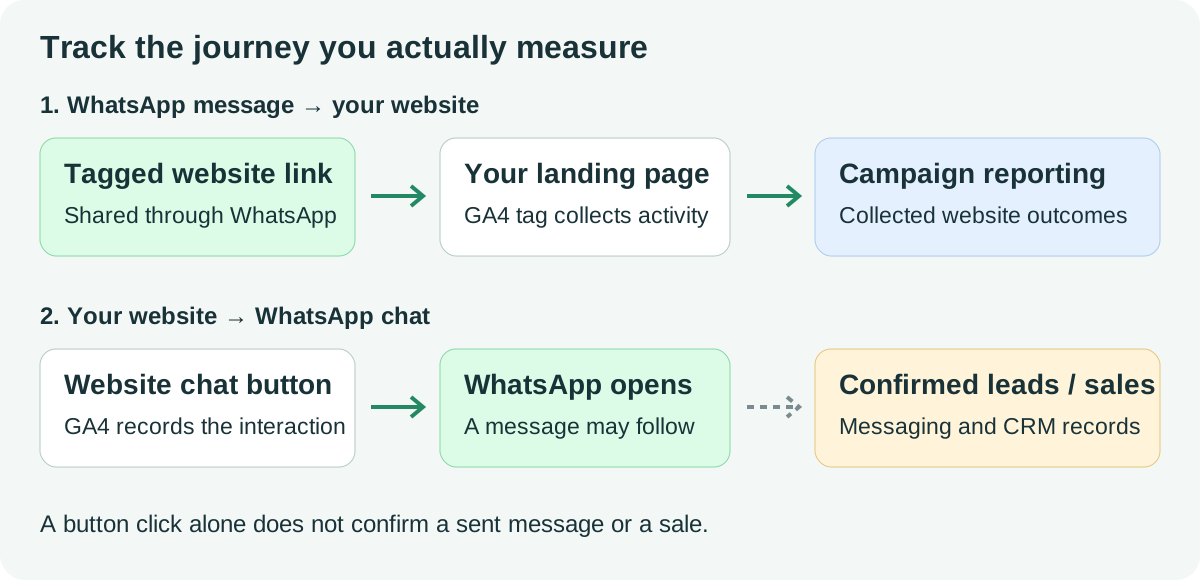
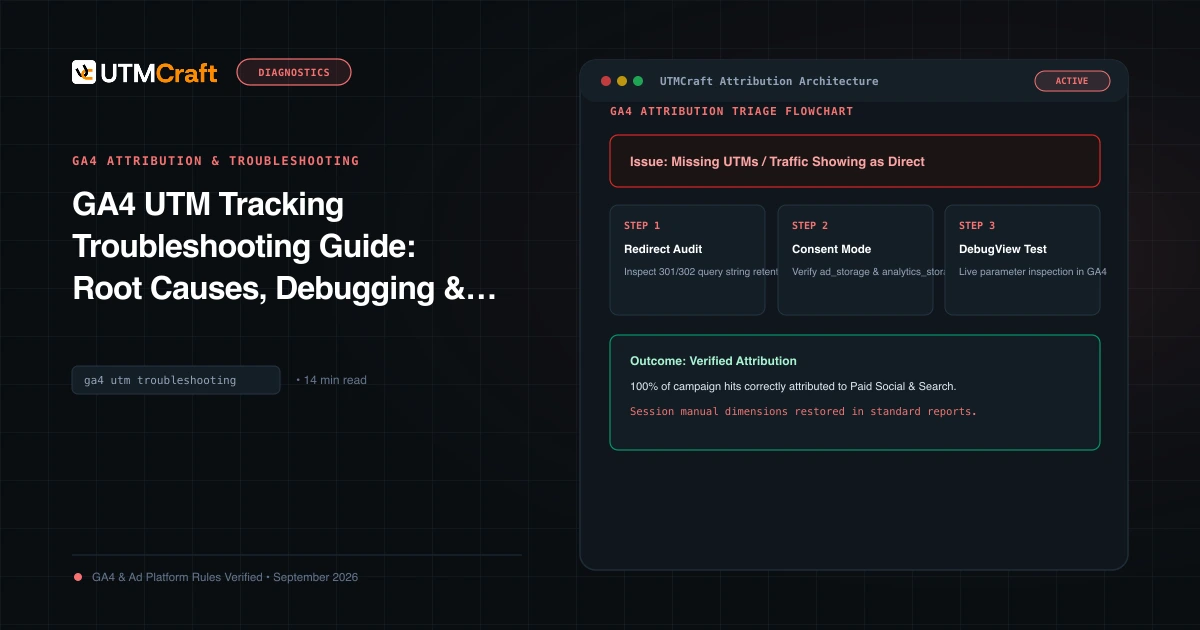
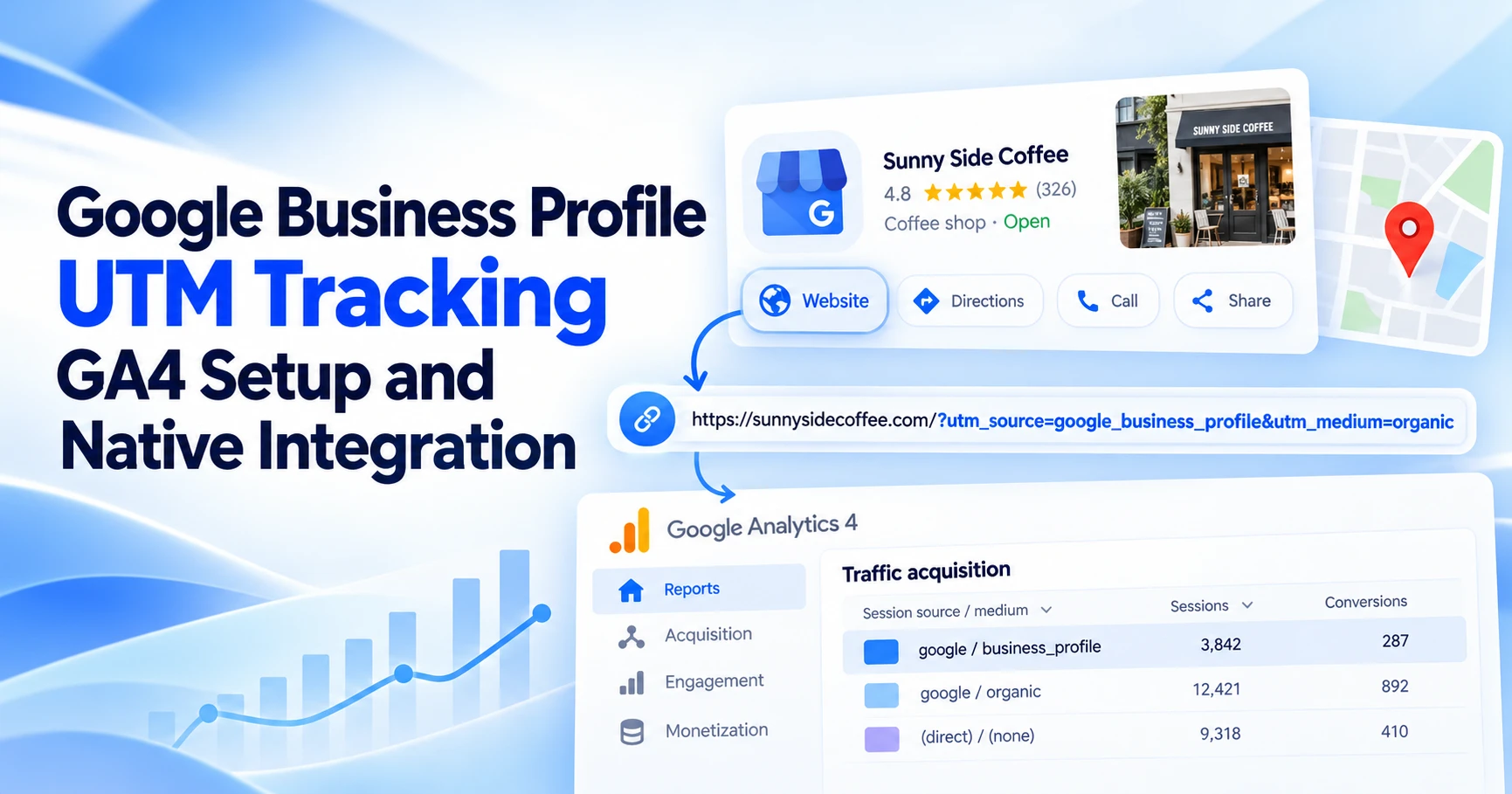
GA4 reads campaign parameters on your instrumented website. It does not run your website’s tag inside a WhatsApp conversation. A wa.me link opens a chat, as explained in WhatsApp’s click-to-chat documentation; adding UTMs to that link does not automatically produce a GA4 visit or confirm a message.
Keep these measurements distinct:
- Link clicks: interactions recorded by a short-link service or another click counter, using that service’s definitions.
- Website sessions: sessions collected by GA4 after visitors reach your site.
- Chat-button clicks: website events showing an attempt to open WhatsApp.
- Conversations, qualified leads and sales: outcomes recorded in your messaging platform, CRM or order system.
These counts should not be expected to match. A person can click twice, abandon a page before the tag loads, or open WhatsApp without sending a message. Forwarding also matters: a tagged link forwarded to another group keeps its original labels. UTMs identify the distributed link, not a verified sender, recipient or complete sharing history.
Choose your WhatsApp UTM convention
Our examples use whatsapp / messaging for non-paid website links shared in WhatsApp. This is an editorial convention, not an official WhatsApp or Google requirement. It keeps the platform stable while allowing campaign and content values to describe the promotion and placement.
| Parameter | Example | Purpose |
|---|---|---|
utm_source | whatsapp | The platform where you distributed the link |
utm_medium | messaging | Your documented channel convention |
utm_campaign | demo-outreach-2026-10 | The offer or campaign you want to compare |
utm_content | broadcast-existing-customers | The audience, placement or message variant |
Use lowercase, consistent separators and a written naming rule. These choices reduce accidental duplicates; they are not syntax requirements that make every alternative invalid. Google documents the parameters in its campaign URL guide.
messaging and broadcast are not named default channels. Depending on the source and other matching rules, your traffic may appear in an existing channel or as Unassigned. Use source/medium to inspect it, and create the custom WhatsApp channel below if you want a dedicated category.
If your reporting policy deliberately groups non-paid messaging with Organic Social, social is another option: Google lists it in the Organic Social medium rule. Using sms would label the traffic as SMS. Choose the meaning you want, document it, and check actual classification rather than changing values solely to avoid Unassigned. See Google’s current channel definitions.
Build broadcast and sales-outreach links
Start with a page that helps the reader take the next step: a product page, booking form or useful offer page. Replace example.com/book-a-demo in these examples with your destination. All examples below are illustrative.
1. A broadcast to existing customers
https://example.com/book-a-demo?utm_source=whatsapp&utm_medium=messaging&utm_campaign=demo-outreach-2026-10&utm_content=broadcast-existing-customersThe content value distinguishes this broadcast from other placements in the same campaign. If the message contains two website links, give each its own content label, such as broadcast-primary-cta and broadcast-pricing-link.
2. A one-to-one sales follow-up
https://example.com/book-a-demo?utm_source=whatsapp&utm_medium=messaging&utm_campaign=demo-outreach-2026-10&utm_content=sales-followup-team-aA team or sequence label lets you compare outreach without putting a customer’s name or phone number in the URL. Keep the same campaign when these links promote the same offer. Use a new campaign when the offer or reporting initiative changes.
3. A reminder for a different campaign
https://example.com/webinar?utm_source=whatsapp&utm_medium=messaging&utm_campaign=webinar-2026-10&utm_content=reminder-24hIn the UTMCraft Campaign URL Builder, choose WhatsApp Website Link, enter your destination and replace the example campaign and content. For several audiences or placements, use the bulk builder and keep a record of where each link will be sent.
A short link is optional. If you use one, open the final published short URL and confirm that it resolves to the intended page with the parameters intact. A neat-looking link is not evidence that a redirect preserves tracking. Our redirect troubleshooting guide explains what to check.
For an existing query string, append additional parameters with &. Put campaign parameters before a #fragment, not after it. Do not add a second set of conflicting UTMs to a URL that is already tagged.
Website links in a WhatsApp Business message use the same destination-tagging principle. Template-button configuration and provider link rewriting can differ, so test the message actually delivered to a phone rather than only the URL in your campaign editor.
Find WhatsApp campaign results in GA4
First confirm that your GA4 tag collects activity on the destination. Tags must be allowed to run under your consent setup; UTMs cannot bypass a blocked tag. A UTM builder also cannot install Analytics on your website.
Check collection before interpreting attribution
- Send the tagged link to a test WhatsApp chat and open it on your phone.
- Check the resolved URL and confirm the source, medium, campaign and content values.
- Use Realtime to check recent website activity. For parameter-level debugging, use Tag Assistant and GA4 DebugView with a device configured for debug mode.
- Check processed acquisition reports after data is available. Record the exact link and time of your test so you can distinguish it from other visits.
Realtime confirms collection, but its views are not a substitute for a processed session-acquisition report. Google says many reports and explorations take 24–48 hours to process. See its collection-verification guidance.
Compare campaign performance
- Open Reports → Acquisition → Traffic acquisition. Navigation can differ by report collection; an editor may need to add the report if it is missing.
- Select Session source / medium as the primary dimension and filter for source
whatsapp. - Add Session campaign as a secondary dimension where available, or build an Exploration with the campaign dimension you need.
- For message variants, use Session manual ad content in an Exploration. That is the dimension populated by
utm_content; do not create a custom dimension simply named “utm_content” for standard campaign tagging.
The Traffic acquisition report answers questions about sessions. Google’s manual-tagging documentation maps campaign parameters to reporting dimensions.
For each campaign, compare sessions, engaged sessions and a specific business outcome, such as a correctly implemented booking or purchase event. Total revenue is useful only when the relevant revenue events are implemented. A WhatsApp click count alone is not campaign revenue.
Choose the reporting scope deliberately. First user source describes initial acquisition; session dimensions describe session acquisition; event-scoped attribution concerns key-event credit. They can differ without a tracking bug. A later campaign click during an existing session also does not guarantee that session-source values will change. See Google’s session guidance, Google’s scope explanations and our GA4 troubleshooting guide.
Create a WhatsApp channel group
If you want a separate WhatsApp category while keeping the messaging medium, create a custom channel group. This changes how matching data is categorised in that group; it does not recover visits that GA4 never collected.
- With Editor access or above, open Admin → Data display → Channel groups.
- Copy an existing group and name it, for example, Marketing channels with WhatsApp.
- Add a channel called WhatsApp Messaging.
- Set the conditions to Source exactly matches whatsapp AND Medium exactly matches messaging.
- Place it before broader channels that could match the same traffic. Save the group and select its session-scoped dimension in your acquisition report.
The AND condition keeps this convention separate from other WhatsApp-tagged activity you might use later. If you already have a documented broadcast medium, either define an additional condition for it or keep a separate channel. The first matching channel wins, so rule order matters. Google documents custom-group setup and ordering; its maintained Default Channel Group remains separate.
Track website WhatsApp buttons with GTM
This setup applies to ordinary website links that open wa.me, api.whatsapp.com or web.whatsapp.com. It records the click on your website. JavaScript widgets, embedded frames and whatsapp:// app links need their own tested implementation.
First check automatic outbound-click measurement
GA4 enhanced measurement can collect an outbound click event for external links, including parameters such as link_domain and link_url. Check whether your actual button is captured before adding another tag. This is documented in Google’s enhanced-measurement reference.
Review the link data: a WhatsApp URL can contain a phone number and pre-filled message text. If it contains personal information, do not let automatic outbound tracking send the full URL to Analytics. Review or disable that measurement option and use a controlled event that sends only safe labels. Omitting link_url from a custom event does not stop another automatic event from collecting it.
Create a dedicated whatsapp_click event
For a standard contact-page link, use this configuration:
- In GTM, ensure the destination has a working Google tag connected to your GA4 web stream and the intended consent behaviour.
- Under Variables → Configure, enable the built-in Click URL variable.
- Create a Click – Just Links trigger, choose Some Link Clicks, and set Click URL matches RegEx to the expression below. Use the case-insensitive option if your URLs use mixed case.
- For this example’s
button_location=contact_pagelabel, add an AND condition that limits the trigger to your contact page, such as Page Path equals /contact/. Replace that path with the real one. - Create a Google Analytics: GA4 Event tag using your stream’s measurement ID. Set the event name to
whatsapp_clickand attach the trigger.
^https?://(wa\.me|api\.whatsapp\.com|web\.whatsapp\.com)([/?#]|$)The expression matches the listed hosts rather than any URL containing the word “whatsapp”. For a branded redirect link, test and match your own known redirect path instead.
| Event parameter | Value for this example | Reason |
|---|---|---|
contact_method | whatsapp | A fixed label for the contact channel |
button_location | contact_page | A fixed placement label restricted by the trigger |
Do not send the phone number, message text or full Click URL as custom parameters. For a header and a product-page button, configure distinct placement labels and matching triggers, or ask your developer to supply a safe placement value. Avoid overlapping tags that send whatsapp_click twice.
Google explains Just Links triggers and GA4 Event tags. Optional “Wait for Tags” behaviour must be tested with your navigation and app handoff; it is not a guarantee that every click is collected.
Verify the event and make it reportable
In GTM Preview, click the real button, including its icon or nested text. Confirm that the intended tag fires once and unrelated links do not fire it. Check whatsapp_click and the safe parameter values in GA4 DebugView. Test mobile and desktop handoff, review the outgoing Analytics requests for unintended personal data, then publish the tested container version.
To use your added parameters in standard reporting, register event-scoped custom dimensions for button_location and contact_method under Custom definitions. Use them for future collected data and allow processing time. These are custom event parameters; standard UTM dimensions are different. See Google’s custom-dimension guidance.
An automatic click and your dedicated whatsapp_click may describe the same action. Do not add their counts together. If you mark the dedicated event as a key event, label the outcome as a chat-button click in your reports. Reserve qualified-lead or sales labels for confirmed outcomes.
Connect clicks to qualified leads and sales
For WhatsApp-to-website journeys, a form or checkout can provide a stronger outcome than a visit. Implement successful submissions or purchases, and keep the relevant campaign fields with the CRM record where your consent and data-handling setup permits. Decide whether your CRM stores first touch, latest tagged touch or both. Our hidden-field and CRM guide covers the capture workflow.
For website-to-WhatsApp journeys, a pre-filled message can include a non-personal campaign reference, such as DEMO-OCT. Staff can record that reference with the enquiry. Treat it as supporting evidence: the user can edit or delete it, and it identifies a campaign rather than proving an individual website session.
A stronger session-to-conversation match requires a deliberate integration, a suitable non-personal reference and a verified joining process. WhatsApp Business Platform providers differ in the metadata and CRM integrations they expose. Confirm their capabilities before relying on them; do not assume a direct wa.me link supplies them.
For ads that open WhatsApp without visiting your website, use the ad platform’s supported messaging reports and your conversation/CRM records. A separately tagged website link sent later in the conversation measures that later visit. It does not recreate the original ad click’s entire attribution path.
Keep a small campaign record: campaign name, audience label, destination, tagged URL, placement, send date, owner and QA status. Keep recipient-level contact details in the appropriate business system, not in UTM values. Compare collected website outcomes and confirmed CRM outcomes with their definitions visible.
Troubleshoot missing or conflicting data
| Symptom | Check first | Action |
|---|---|---|
| Your test visit has no expected WhatsApp labels | Final URL, tag collection, consent and report scope | Inspect the delivered link and processed session data. Do not assume every untagged app click must appear as Direct. |
| Source/medium is present but the channel is Unassigned | Whether any current channel rule matches | Use source/medium to inspect the data; add the documented custom channel if needed. |
| Short-link clicks exceed GA4 sessions | Repeat clicks, non-human requests, collection failures and metric definitions | Compare definitions and dates. A click counter and Analytics sessions measure different activity. |
| The campaign differs from your latest link | Session versus first-user scope; an already-active session | Use the dimension that answers your question. Test fresh acquisition in a clean browser context and check processing. |
| A WhatsApp button produces no event | Actual href, link versus widget, trigger scope and tag consent | Inspect the element in Preview. Adjust the implementation for the real button type. |
| One click produces two whatsapp_click events | Overlapping GTM tags, listeners or event-creation rules | Choose one implementation and repeat the test. |
| Replies or sales are missing from GA4 | Whether any outcome integration exists | Use verified conversation/CRM records. Website click tracking alone cannot confirm them. |
| A forwarded link is credited to the original placement | Whether the URL retained its original UTMs | Document the limitation. UTMs cannot identify every forwarding step. |
A missing thumbnail in a WhatsApp message is not, by itself, proof of missing campaign parameters. Test the actual destination. Conversely, a correct preview does not prove that the tag ran or that a redirect preserved the query string.
Download the WhatsApp tracking launch checklist
Download the plain-text launch checklist and use it alongside your campaign record. It includes separate checks for inbound campaign links and outbound chat buttons.
- Choose the journey and the business outcome you want to measure.
- Document the source, medium, campaign and placement naming rules.
- Test the message or button actually delivered to users, including redirects.
- Check collection, parameter values, consent behaviour and reporting scope.
- For chat buttons, check one event per click and safe event data.
- Keep clicks, sessions, conversations and confirmed sales separate.
Google prohibits sending personally identifiable information in campaign parameters and other Analytics data. Keep customer names, emails, personal phone numbers and private conversation text out of UTMs and event payloads. See Google’s PII guidance.
Frequently asked questions
Can I track WhatsApp broadcasts without the Business Platform API?
You can measure collected visits to your GA4-enabled website by sharing tagged website URLs. That does not give you automatic message-delivery, read, reply or conversation data inside GA4.
Does adding UTMs to a wa.me link track a WhatsApp lead?
No. The chat link itself does not run your website’s GA4 tag. Track the website button interaction separately, then use a confirmed conversation or CRM outcome to count a lead.
What utm_medium should I use for WhatsApp?
Choose a documented convention that fits your reporting. This guide uses messaging with a custom WhatsApp channel. Social is an option if you deliberately group non-paid messaging under Organic Social. Broadcast is a custom value, not a guarantee of default-channel classification.
Will UTMs identify the person who clicked or forwarded my link?
No. The examples identify a campaign and placement. Forwarded URLs can keep the original tags, and you should not insert personal identifiers into the campaign parameters.
Should I shorten WhatsApp campaign URLs?
It is optional. Use a service you trust and test the redirect. A shorter link does not guarantee a higher click rate or accurate collection.
Can GA4 measure WhatsApp sales automatically?
It can report appropriately implemented website purchase events. Sales completed in a conversation need a separate verified measurement integration or reconciliation with your business records.
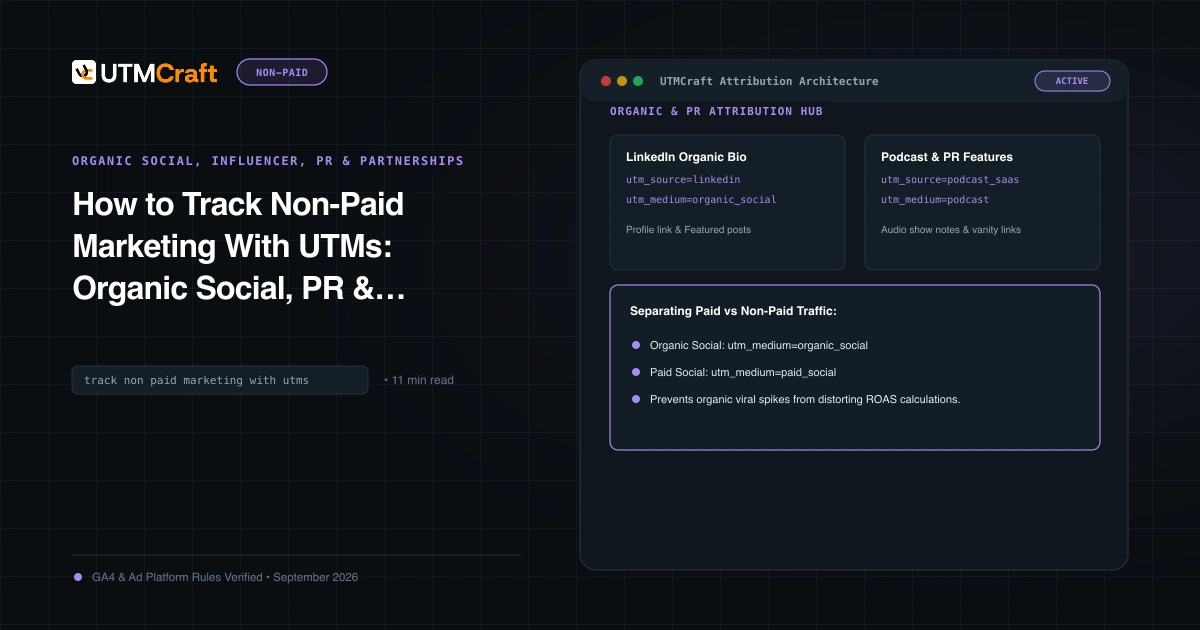
For the broader setup, read How to Track Non-Paid Marketing With UTMs: Organic Social, PR & Partnerships. Browse the Organic Social, Influencer, PR & Partnerships guides to choose another troubleshooting task.
References
- Collect campaign data with custom URLs (Google Analytics Help)
- Traffic-source dimensions, manual tagging and auto-tagging (Google Analytics Help)
- Traffic acquisition report (Google Analytics Help)
- About Analytics sessions (Google Analytics Help)
- Scopes of traffic-source dimensions (Google Analytics Help)
- Default channel group (Google Analytics Help)
- Custom channel groups (Google Analytics Help)
- Enhanced measurement events (Google Analytics Help)
- Click trigger (Google Tag Manager Help)
- Set up Google Analytics events in Tag Manager (Google Tag Manager Help)
- About custom dimensions and metrics (Google Analytics Help)
- Confirm that you are collecting data (Google Analytics Help)
- Avoid sending personally identifiable information (Google Analytics Help)
- How to use click to chat (WhatsApp Help Center)