

GA4 UTM Tracking Troubleshooting Guide: Root Causes, Debugging & Solutions
Diagnose and fix broken UTM tracking in Google Analytics 4. Comprehensive root cause analysis for Unassigned traffic, Direct spikes, (not set), and stripped query strings.
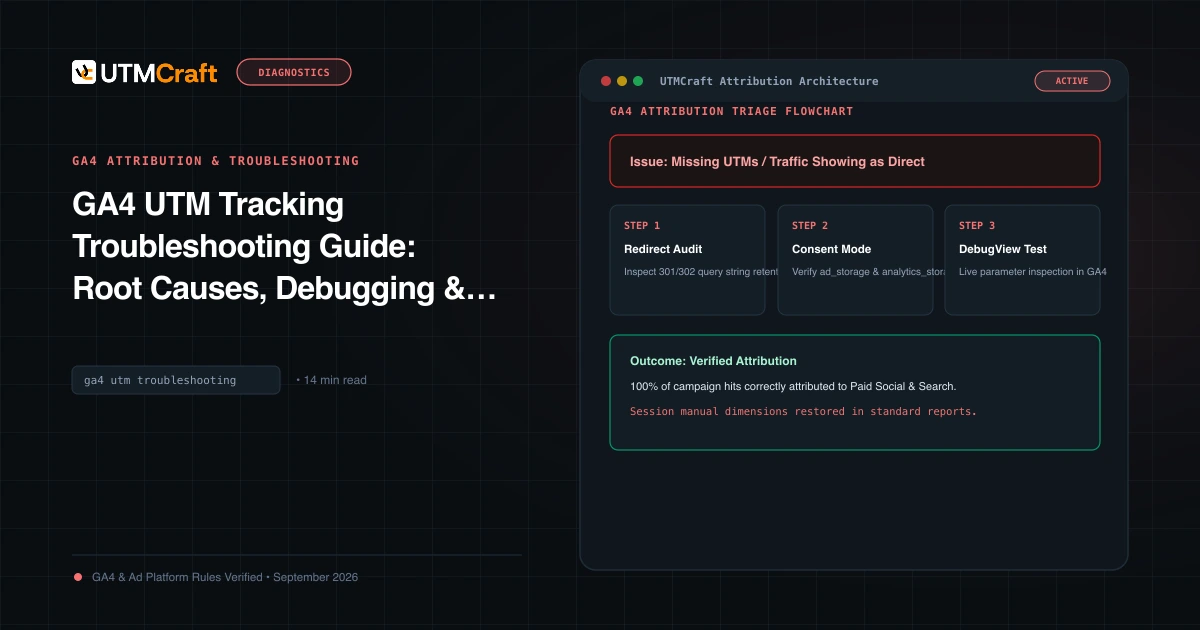
Table of Contents
- The GA4 Attribution Diagnostic Flowchart
- Issue 1: Traffic Showing as Direct Instead of Paid Campaign
- Issue 2: Traffic Showing as "Unassigned"
- Issue 3: Campaign and Source Showing as "(not set)"
- Issue 4: Payment Gateway & Social Webview Referral Hijacking
- Issue 5: Server 301/302 Redirects Stripping Query Strings
- Issue 6: Consent Mode v2 Delays and Cookieless Pings
- Live Testing Protocol: Realtime & DebugView
- Frequently Asked Questions
Attribution breakdowns in Google Analytics 4 are rarely caused by platform bugs. In 95% of cases, the failure occurs between the moment a user clicks an ad and the moment the GA4 JavaScript library executes on the destination page. This guide provides a systematic, engineer-level troubleshooting framework to diagnose and fix broken campaign tracking.
The GA4 Attribution Diagnostic Flowchart
When campaign data fails to appear correctly in GA4, follow this symptom triage table:
| Observed Symptom | Primary Suspect | Definitive Test |
|---|---|---|
| Campaign traffic shows as Direct | HTTP 301/302 redirect dropping query string; mobile webview; HTTPS to HTTP downgrade | Inspect Network tab in DevTools; check if query parameters survive final URL |
| Traffic shows as Unassigned | utm_medium does not match GA4 Default Channel Group regex rules |
Examine Session source / medium in GA4 Explorations against Google channel rules |
| Campaign shows as (not set) | Measurement Protocol hits without campaign parameters; session timeout; page_view fired before config | Verify session_start event payload in DebugView |
| Paid social shows as Referral | UTM parameters stripped or missing; link wrapper stripped fbclid / utm_* |
Check if utm_medium=paid_social was included in ad destination URL |
Issue 1: Traffic Showing as Direct Instead of Paid Campaign
Direct traffic in GA4 is a catch-all fallback: it means GA4 received an incoming session with no referrer header and no UTM parameters. If you are paying for ad clicks but seeing a spike in Direct traffic, one of three failures is occurring:
If you enter your destination URL as https://example.com/signup?utm_source=meta, but your web server enforces trailing slashes (https://example.com/signup/), Apache/Nginx may issue a 301 redirect that drops the query string entirely:
# BROKEN REDIRECT (Query string stripped)
GET /signup?utm_source=meta -> 301 Moved Permanently
Location: https://example.com/signup/  <-- UTMs LOST!

# CORRECT REDIRECT (Query string preserved)
Location: https://example.com/signup/?utm_source=meta
Issue 2: Traffic Showing as "Unassigned"
GA4 assigns traffic to the "Unassigned" channel group when an incoming session cannot be classified into any rule defined in the Default Channel Grouping specification. For example:
utm_medium=paidsocialvsutm_medium=paid_social(GA4 accepts both, but if source is unrecognized, it may fall into Unassigned).utm_source=newsletter&utm_medium=email_blast(GA4 requires medium to match exact regexemail|e-mail|e_mail;email_blastfails and becomes Unassigned!).
Issue 3: Campaign and Source Showing as "(not set)"
In GA4, (not set) indicates that GA4 collected an event, but the associated dimension has no recorded value. Common causes include:
- Partial UTM Tagging: Supplying
utm_campaign=summerwithout supplyingutm_sourceorutm_medium. GA4 requires at leastutm_source. - Measurement Protocol Mismatch: Backend offline conversion events sent via the GA4 Measurement Protocol without an attached
client_idorsession_idto link to the original campaign session. - Session Timeout Across Midnight: If a user remains idle on a page for 30 minutes, their original session expires. A subsequent interaction starts a new session without incoming UTMs, occasionally resulting in
(not set)dimensions.
Issue 4: Payment Gateway & Social Webview Referral Hijacking
If your ecommerce store directs shoppers to external checkout systems (PayPal, Stripe Checkout, Klarna, Shopify Checkout) and returns them to your order confirmation page without proper cross-domain tracking, GA4 registers the return visit as a new session with the payment gateway as the referring source (e.g. paypal.com / referral). All revenue is stripped from your paid ads!
In GA4 Admin, navigate to Data Streams > Configure tag settings > List unwanted referrals. Add your payment domains (e.g. paypal.com, checkout.stripe.com). GA4 will ignore these referrers upon return and preserve the original campaign attribution.
Issue 5: Server 301/302 Redirects Stripping Query Strings
Redirect chains are the silent killer of marketing budgets. When marketing links pass through link shorteners (e.g. bit.ly), internal redirect tools, or vanity domain redirects, query parameters are frequently dropped at each hop. Always configure servers to append $is_args$args in Nginx or [QSA] (Query String Append) in Apache mod_rewrite.
Issue 6: Consent Mode v2 Delays and Cookieless Pings
Under Google Consent Mode v2 (mandatory in the EEA and UK), when a user lands on your site and has not yet accepted cookies, GA4 emits cookieless pings (gcs=G100). While cookieless pings preserve campaign parameters on the initial landing event, if the user accepts cookies on page 2, GA4 may create a second session identifier, causing attribution discrepancies unless Advanced Consent Mode is correctly configured.
Live Testing Protocol: Realtime & DebugView
Never debug campaigns by waiting 24 to 48 hours for standard GA4 acquisition reports. Follow this real-time verification process:
- Append
?utm_source=qa_test&utm_medium=paid_social&utm_campaign=qa_audit&debug_mode=trueto your destination URL. - Open the URL in an Incognito browser window.
- In GA4, go to Admin > DebugView. Select your active device stream.
- Click on the
page_viewandsession_startevents.
Frequently Asked Questions
Why does my campaign traffic show up as (Unassigned) in GA4?
Traffic is categorized as (Unassigned) when Google Analytics 4 cannot match the combination of utm_source and utm_medium to any rule in its Default Channel Grouping table. Common culprits include misspelled mediums (e.g. utm_medium=paidsocial instead of paid_social) or uppercase letters (e.g. utm_medium=CPC instead of cpc).
Why are my paid campaign clicks showing as Direct traffic?
This typically occurs when a server redirect (such as an HTTP-to-HTTPS redirect or missing trailing slash rewrite) strips query parameters during transit. Another frequent cause is Single Page Application (SPA) client routers clearing query parameters before the GA4 tracking tag executes.
How long does GA4 take to show UTM campaign data in standard reports?
GA4 standard acquisition reports can take 24 to 48 hours to fully process and aggregate session data. To verify new campaign links immediately, inspect the Realtime report or enable debug_mode=true to monitor incoming hits live in Admin > DebugView.
Do URL shorteners strip UTM parameters?
Most reputable URL shorteners preserve query parameters upon redirect. However, if a link shortener redirects to an HTTP URL that further redirects to HTTPS (a redirect chain), intermediate hops often drop parameters. Always test your final shortened link with a tool like UTMCraft UTM Checker to confirm parameter retention.
Sources & Authoritative References
- Troubleshoot Traffic Acquisition in GA4 (Google Analytics Help)
- Verify Your Tag Implementation with DebugView (Google Analytics Help)
- Manage Unwanted Referrals in GA4 (Google Analytics Help)
Related Measurement Guides
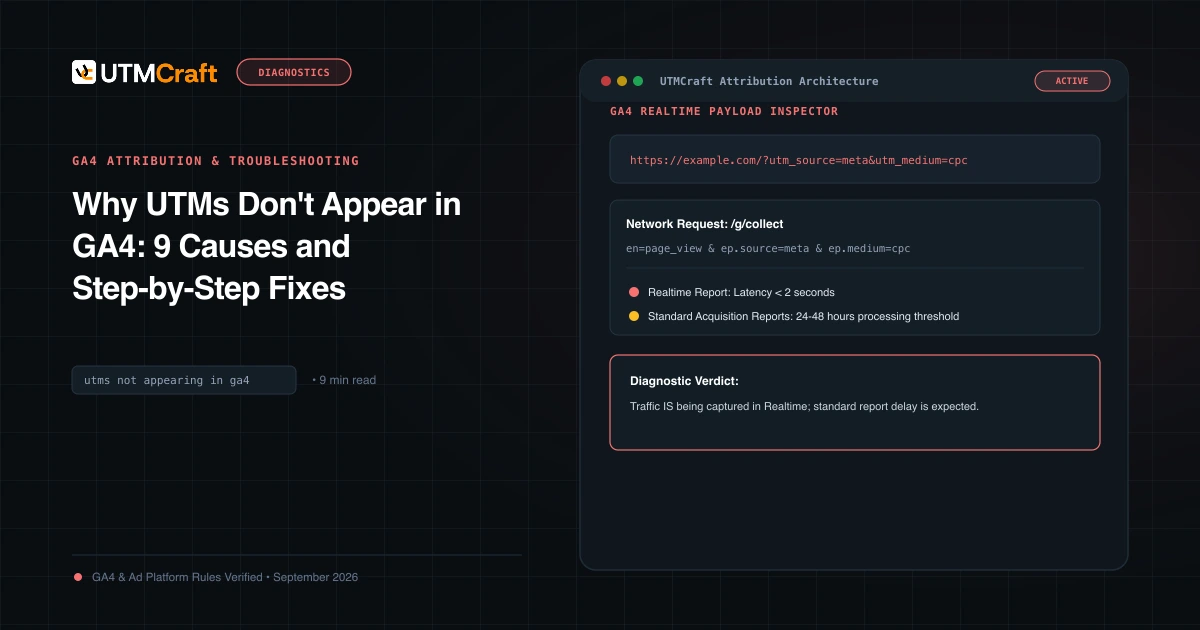
Why UTMs Don't Appear in GA4: 9 Causes and Step-by-Step Fixes
UTM parameters missing in Google Analytics 4? Diagnose the 9 most common reasons campaign data fails to appear in GA4 reports and fix them immediately.
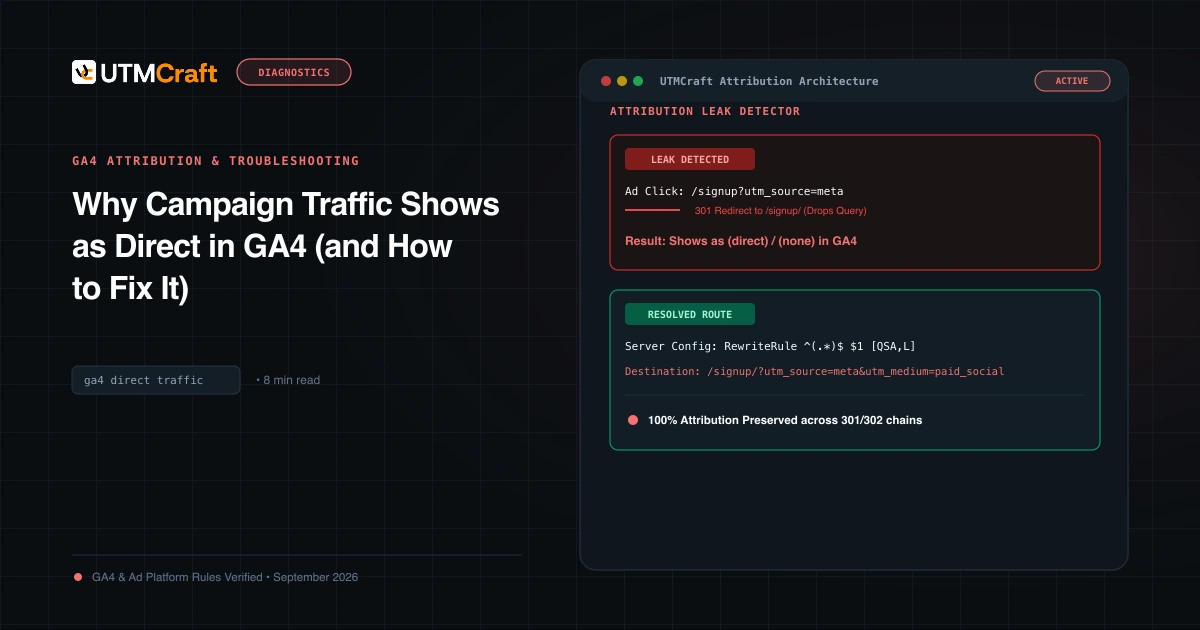
Why Campaign Traffic Shows as Direct in GA4 (and How to Fix It)
Why is your paid traffic showing as Direct in GA4? Learn the 7 primary causes of false direct traffic, redirect parameter loss, and how to recover attribution.
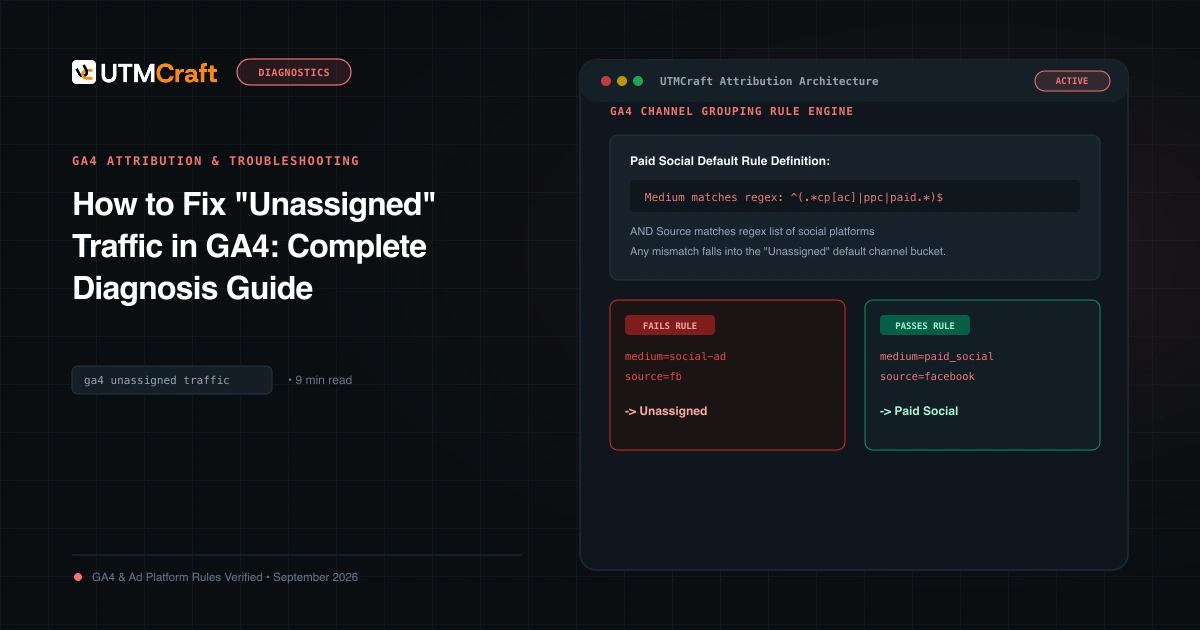
How to Fix "Unassigned" Traffic in GA4: Complete Diagnosis Guide
Why does GA4 show Unassigned traffic? Discover the exact channel grouping regex rules, common medium mistakes, and how to fix Unassigned traffic permanently.