Table of Contents
- Recommended ChatGPT ads UTM template
- 1. Don't reuse chatgpt.com as the paid source
- 2. Use a paid medium, not ai-assistant or cpm
- 3. Keep channel trigger words out of campaign names
- 4. Use only the macros OpenAI documents
- 5. Know which level's parameters win
- 6. Protect UTMs and oppref through redirects
- 7. Don't expect Ads Manager and GA4 to match
- QA a ChatGPT ad click before you scale spend
- Quick answers
Tag ChatGPT ad clicks with a source value that organic ChatGPT traffic does not use, a paid medium such as cpc, and OpenAI's ID macros in the Landing page query parameters field. Then confirm a test click arrives in GA4 with those values intact. Without this, paid ChatGPT clicks can blend into the organic ChatGPT referrals you already receive.
OpenAI says advertisers can add static UTM parameters to landing page URLs and that those parameters persist on ad clicks (Ads in ChatGPT: The Basics). OpenAI handles the ad side. Your naming choices decide whether the clicks are reported usefully.
Documentation checked: October 14, 2026. ChatGPT Ads and Ads Manager are labeled beta by OpenAI, so field names and features may change. Examples below are illustrative, not results from a live account.
Recommended ChatGPT ads UTM template
utm_source=chatgpt&utm_medium=cpc&utm_campaign=fall_demo_us&utm_id={campaign_id}&utm_content={ad_id}| Parameter | Suggested value | Why |
|---|---|---|
utm_source | chatgpt | Distinct from the chatgpt.com value ChatGPT adds to organic citation links |
utm_medium | cpc | Matches GA4's paid medium pattern |
utm_campaign | Readable static name, e.g. fall_demo_us | OpenAI's documented macros are IDs, not names |
utm_id | {campaign_id} | Ties the session to the Ads Manager campaign |
utm_content | {ad_id} | Separates ads within a campaign |
This is our recommendation, not an OpenAI default. If your organization already has a paid-media convention, keep it and adapt only the source value. Use the UTMCraft builder to generate the static parts consistently.
1. Don't reuse chatgpt.com as the paid source
OpenAI's publisher FAQ states: "ChatGPT automatically includes the UTM parameter utm_source=chatgpt.com in referral URLs, enabling clear tracking and analysis of inbound traffic from ChatGPT search results" (archived copy, October 4, 2026).
That means chatgpt.com is likely to appear as a session source in your GA4 property already. If you also use utm_source=chatgpt.com for ads, paid and organic visits share one source value. Only the medium would separate them, and organic visits from ChatGPT may arrive with a missing or different medium. Every source-based filter, custom channel rule and dashboard would then need extra conditions.
Our recommendation: use utm_source=chatgpt (or chatgpt_ads, if your team prefers explicit names) for ads. Organic ChatGPT traffic keeps its own value, and the existing AI assistant traffic guide covers that side. Pick one spelling and document it in your UTM naming convention. GA4 values are case sensitive, so ChatGPT and chatgpt will report as separate sources (Google).
2. Use a paid medium, not ai-assistant or cpm
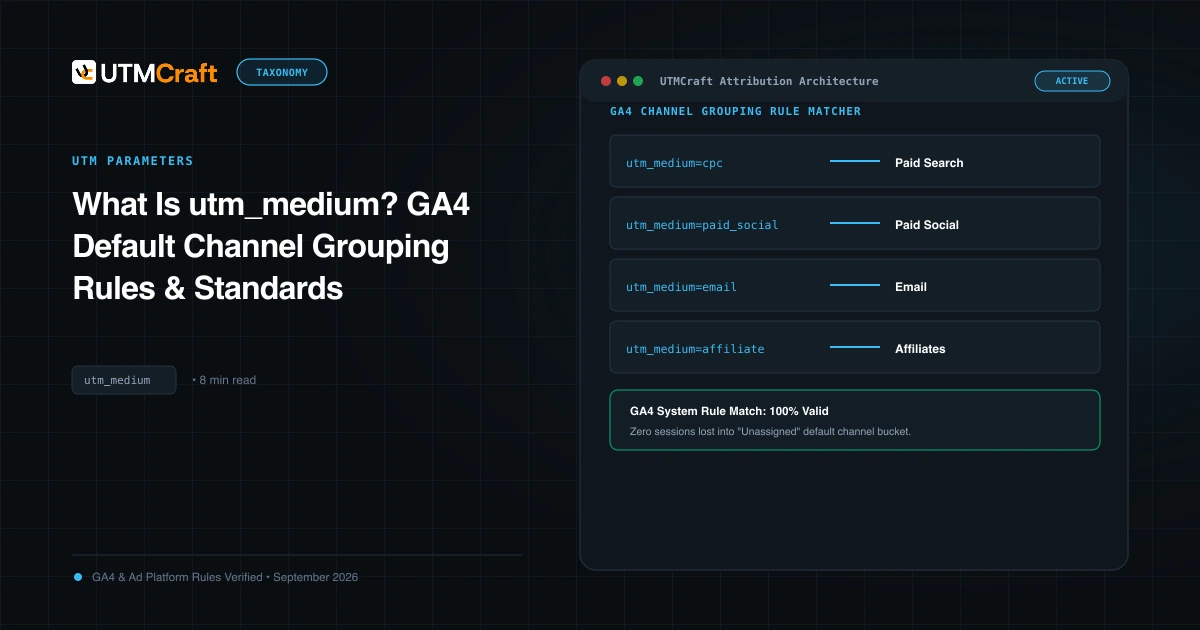
GA4's default channel group rules decide where a session lands, so the medium matters more than it seems (Google's channel rules):
ai-assistantis the documented medium for the AI Assistant channel. Tagging ads with it would mix paid clicks into the channel meant for organic assistant referrals.cpmappears in Google's list of Display medium values. Tagging Views (impression-billed) campaignscpmand Clicks campaignscpccan split one platform across two channels. The medium should describe the channel, not the billing model.- No medium at all leaves GA4 without a channel signal. Visits with an unclassifiable source/medium are a common cause of Unassigned traffic.
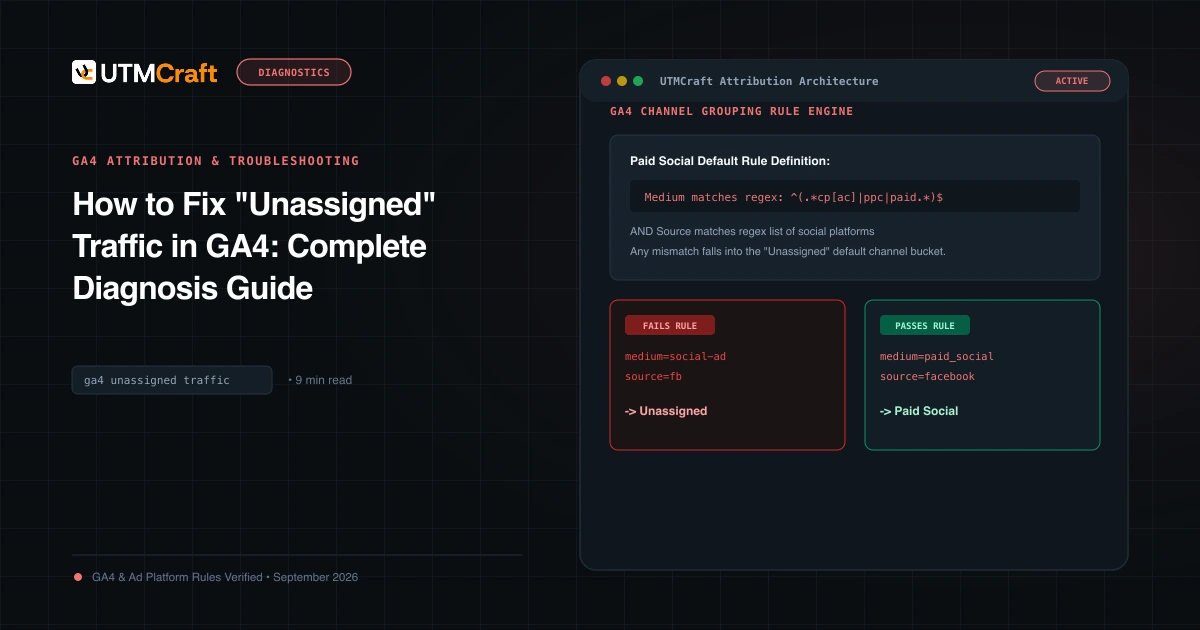
GA4's paid rules match a medium against ^(.*cp.*|ppc|retargeting|paid.*)$. Paid Search and Paid Social also require the source to appear on Google's list of search or social sites. We checked Google's downloadable source-category list on October 14, 2026; it contained no chatgpt, chatgpt.com or openai entry. So we expect chatgpt / cpc to fall into Paid Other, Google's catch-all for paid traffic. That is acceptable. It is visibly paid, and it is not mixed with organic AI traffic.
If you want ChatGPT ads as a named channel, create a custom channel group with a rule such as Source exactly matches chatgpt AND Medium exactly matches cpc. Place it above Paid Other: Google says traffic goes into the first channel it matches. Custom groups apply retroactively, so you can add one after launch. See the utm_medium guide for the wider rules.
3. Keep channel trigger words out of campaign names
Two GA4 default rules look at the campaign name, not the medium:
- A campaign name containing
shoporshoppingcan send paid traffic to Paid Shopping. - A campaign name containing
cross-networksends it to Cross-network.
This matters for product-feed campaigns, which teams often name chatgpt_shopping_fall. If you want that traffic in Paid Shopping, the name does the job. If you want all ChatGPT ads in one channel, write chatgpt_products_fall instead. Either choice is defensible. Mixing both across campaigns is the mistake.
Keep names lowercase, readable and free of personal data. utm_campaign is static here because OpenAI's documented macros return IDs, so the readable name is your job.
4. Use only the macros OpenAI documents
OpenAI's Measure Results article says dynamic URL parameters are available in Ads Manager Beta. You can add "custom landing page query parameters using your own text or supported macros, including {campaign_id}, {ad_group_id}, {ad_id}, and {ad_account_id}." It also says Ads Manager fills them in at delivery time (Measure Results).
Set them through the three-dot menu on the Campaigns, Ad groups or Ads page: choose Edit campaign, Edit ad group or Edit ad, then use the Landing page query parameters field.
A practical mapping:
| Macro | Suggested parameter |
|---|---|
{campaign_id} | utm_id |
{ad_id} | utm_content |
{ad_group_id} | A custom parameter, such as oai_adgroup, if you capture it |
{ad_account_id} | Usually unnecessary unless you run several accounts |
Watch for two mistakes:
- Invented tokens. Syntax from other platforms, such as Meta's
{{campaign.name}}, will not work. OpenAI does not document a campaign-name or ad-name macro, so don't assume{campaign_name}exists. An unsupported token can reach your site as literal text. utm_termfor context hints. OpenAI says ad-group context hints "are not exact-match keywords" (OpenAI). Putting them inutm_term, which Google describes as the paid keyword, would suggest a search query that never existed. Leaveutm_termempty, or define it clearly.
If you later import ChatGPT ad costs into GA4, the utm_id value must match the campaign ID in your upload. See the GA4 cost data import guide.
5. Know which level's parameters win
OpenAI documents a precedence order: "Ad URL, then Ad, then Ad Group, then Campaign. If a parameter is already set at the Ad URL level, campaign, ad group, or ad-level settings will not overwrite it" (Measure Results).
The common failure: someone pastes a URL already containing utm_content=banner_a into the ad. A colleague then adds utm_content={ad_id} at campaign level. The ad URL wins, so every ad reports banner_a.
Our recommendation: keep the ad's destination URL clean. Put shared values (source, medium, utm_id) at campaign level. Add ad-level parameters only for intentional exceptions. If you inherit a messy account, check for duplicate UTM keys on the delivered URL.
6. Protect UTMs and oppref through redirects
OpenAI appends its own click reference, oppref, to the end of the landing page URL. The OpenAI Pixel stores it in a first-party cookie so later conversions can be matched to the click (Conversion Measurement). OpenAI explicitly tells advertisers to "preserve the OpenAI click reference (oppref) through redirects and landing-page navigation."
A landing URL that redirects, such as http to https, a geo-redirect, a vanity URL or a consent gate, can drop the query string. That can remove your UTMs and oppref together. GA4 then loses the campaign, and Ads Manager loses the direct click match. Check the final address bar after every redirect. The redirect troubleshooting guide shows how to fix server rules that drop query strings.
If you send conversions server-side through OpenAI's Conversions API, capture oppref on landing and pass it through. OpenAI's developer docs say the Conversions API does not capture this value automatically. If you also store UTMs on leads, the same capture step applies; see capturing UTMs in form fields.
7. Don't expect Ads Manager and GA4 to match
OpenAI says its numbers and third-party analytics "may report different conversion totals" and that "a difference does not necessarily indicate an error" (Conversion Measurement). The documented reasons are specific:
| Ads Manager (per OpenAI) | GA4 |
|---|---|
| Conversions default to a 30-day click window plus a 1-day view-through window | Has no record of an ad impression that did not produce a visit |
| Dated by ad event time (the click or impression), unless you choose conversion time | Dates conversions when the event occurs |
| May include modeled conversions where available | Counts key events from collected data, under its own attribution settings |
| Counts ad clicks | Counts sessions, which depend on page load, redirects, consent and blocking |
Sources: Measure Results, Ads API reporting, Conversion Measurement.
To compare fairly, OpenAI recommends using the same date range and time zone, then checking CSV exports at campaign and ad level. You can also set the view-through window to 0 days in Ads Manager's Edit columns, which reports click-through conversions only. That makes a closer comparison with GA4's click-based sessions. Treat GA4 as your cross-channel view and Ads Manager as the platform's view; don't force them to agree.
Expect timing gaps too. OpenAI says spend can lag about 7–8 hours and attributed conversions can take 24–48 hours to appear. Google notes that GA4 processing can take 24–48 hours as well (GA4 data freshness).
QA a ChatGPT ad click before you scale spend
- Preview the delivered URL. Confirm the macros resolved to numbers. Literal
{ad_id}text means the field or syntax is wrong. - Follow every redirect. The final URL should still contain all UTMs and, on real ad clicks,
oppref. - Check one parameter per key. No repeated
utm_contentorutm_source. - Confirm collection. In DebugView or your tag debugger, the first page event's
page_locationshould include the UTMs. - Confirm the channel after processing. In Traffic acquisition, the session should show
chatgpt / cpcunder Paid Other (or your custom channel), not AI Assistant, Referral or Unassigned. Google doesn't document how a manually tagged paid click from an AI-assistant referrer is resolved, so verify this once in your own property rather than assuming. - Confirm the Pixel. OpenAI recommends debug mode while testing the OpenAI Pixel.
The UTM QA checklist and how to test UTMs cover the general workflow.
Quick answers
Should utm_source be chatgpt, chatgpt.com or openai?
Any can work if applied consistently. We recommend chatgpt because chatgpt.com is the value OpenAI documents for organic ChatGPT search referrals. openai describes the company rather than where the ad appeared, and it would also cover any future OpenAI placements.
Does ChatGPT Ads support dynamic URL parameters?
Yes, in Ads Manager Beta. OpenAI documents {campaign_id}, {ad_group_id}, {ad_id} and {ad_account_id}, added in the Landing page query parameters field at campaign, ad group or ad level. OpenAI says that list is not exhaustive ("including"), but don't rely on any macro it hasn't documented.
Do UTMs replace the OpenAI Pixel?
No. UTMs label the visit in your analytics. The Pixel and Conversions API send conversion events to OpenAI for Ads Manager reporting and conversion-optimized bidding. Most advertisers need both.
For the broader setup, read 15 UTM Tracking Mistakes That Ruin Your GA4 Data (and How to Fix Them). Browse the UTM Mistakes & Tracking Audits guides to choose another troubleshooting task.
References
- Ads in ChatGPT: The Basics (OpenAI Help Center)
- Measure Results (OpenAI Help Center)
- Conversion Measurement (OpenAI Help Center)
- Publishers and Developers FAQ (archived October 4, 2026) (OpenAI Help Center via Internet Archive)
- Conversion tracking (OpenAI Ads developer docs)
- Reporting and attribution (OpenAI Ads developer docs)
- Ads Manager availability by country (OpenAI Help Center)
- Default channel group rules (Google Analytics Help)
- Collect campaign data with custom URLs (Google Analytics Help)
- Custom channel groups (Google Analytics Help)
- Data freshness (Google Analytics Help)